Welcome
Cambiar A Idioma Español
Social Media Campaign Form
Thank you! The form was sent successfully!
Thank you! The form was sent successfully!
Previous
Previous
Next
Next
Professional Brand Form
Thank you! The form was sent successfully!
Thank you! The form was sent successfully!
Previous
Previous
Next
Next
Below we will explain the step-by-step instructions to grant us Facebook access.
Below we will explain the step-by-step instructions to grant us Facebook access.
The process consists of two steps:
1) Access to the Facebook page: This will allow us to publish the ads with your Facebook page.
2) Access to social media ads: This will allow us to manage and optimize advertising campaigns.
Please follow the instructions that we will share with you below.
See The Steps For Phone
1) Access to the Facebook page:
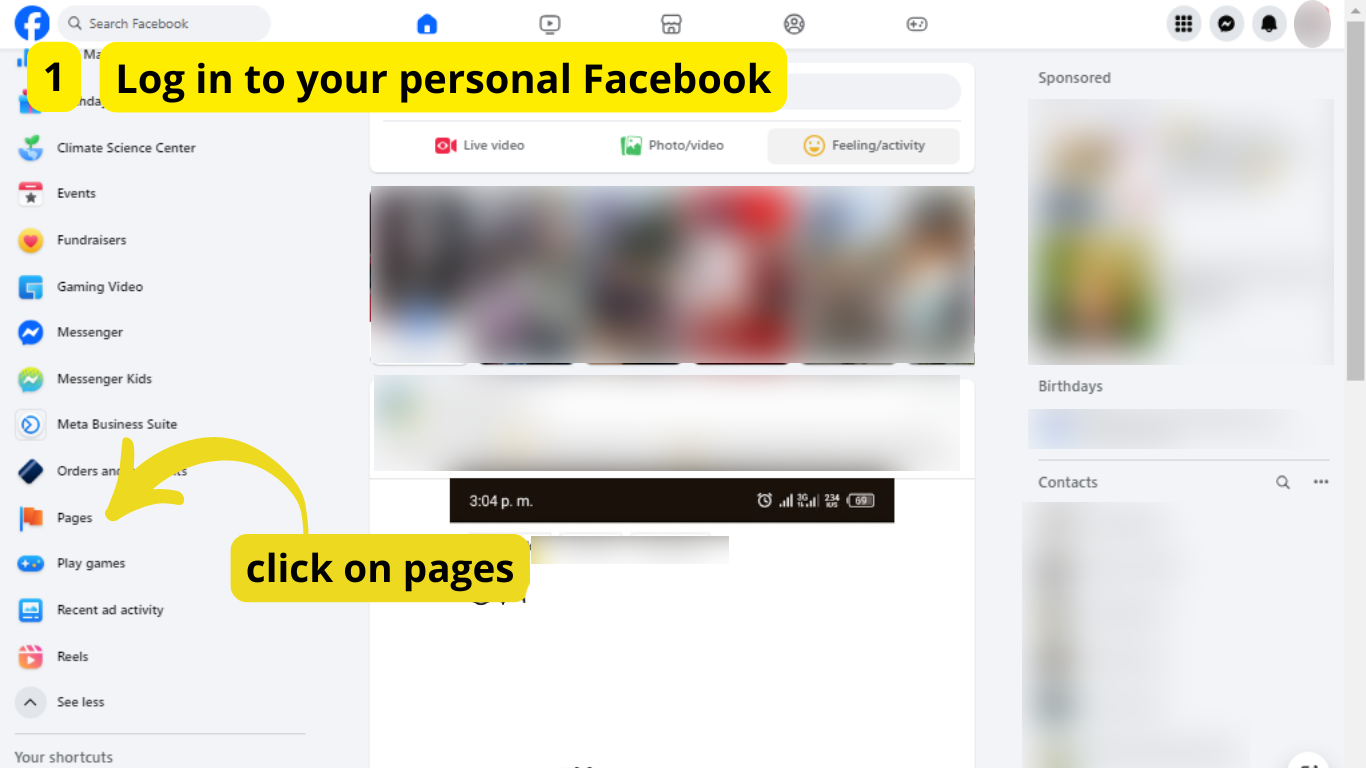
STEP 1:
Log In To You Personal Facebook
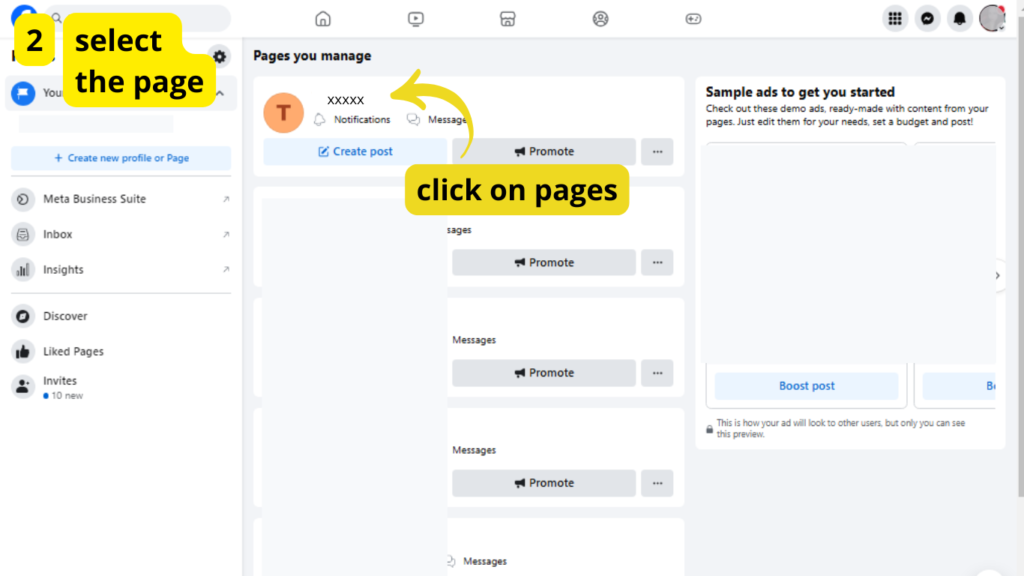
STEP 2:
Select The Page
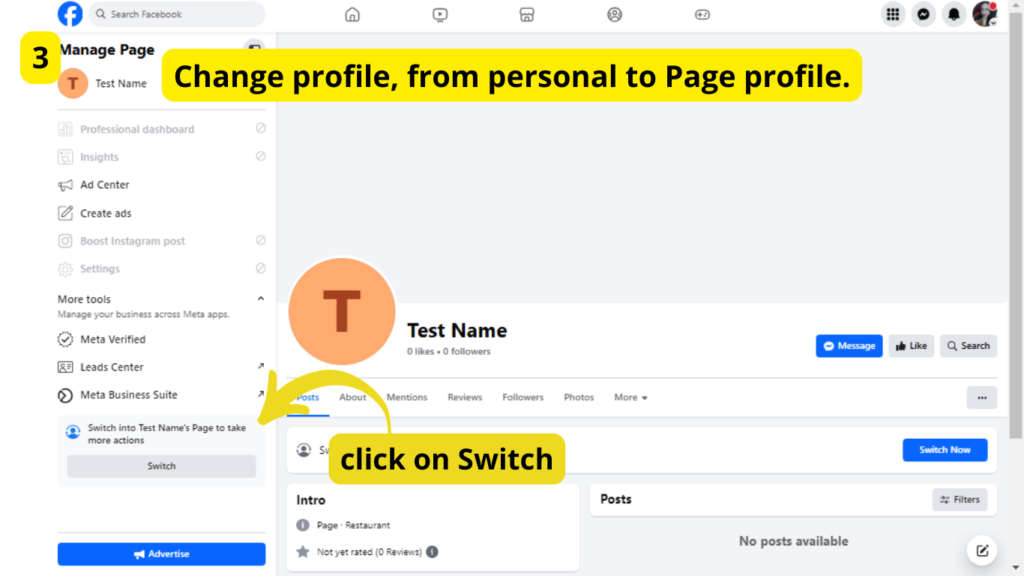
STEP 3:
Change Profile
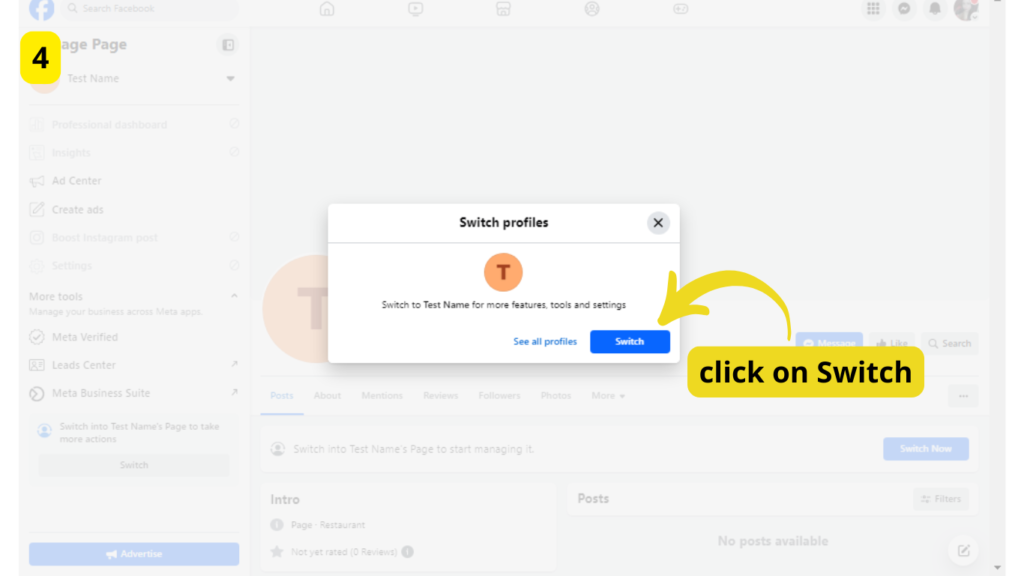
STEP 4:
Click On Switch
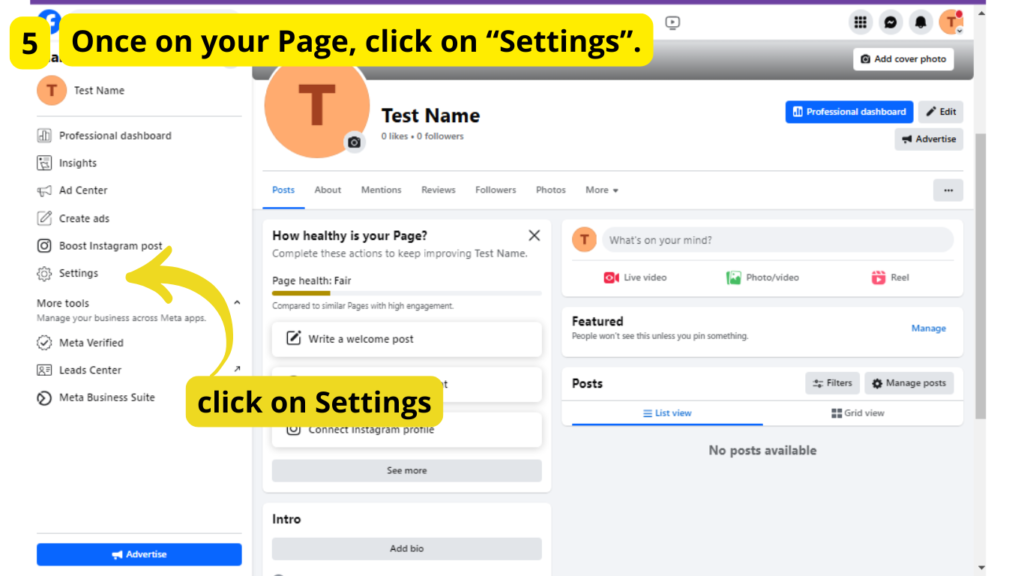
STEP 5:
Click On Settings
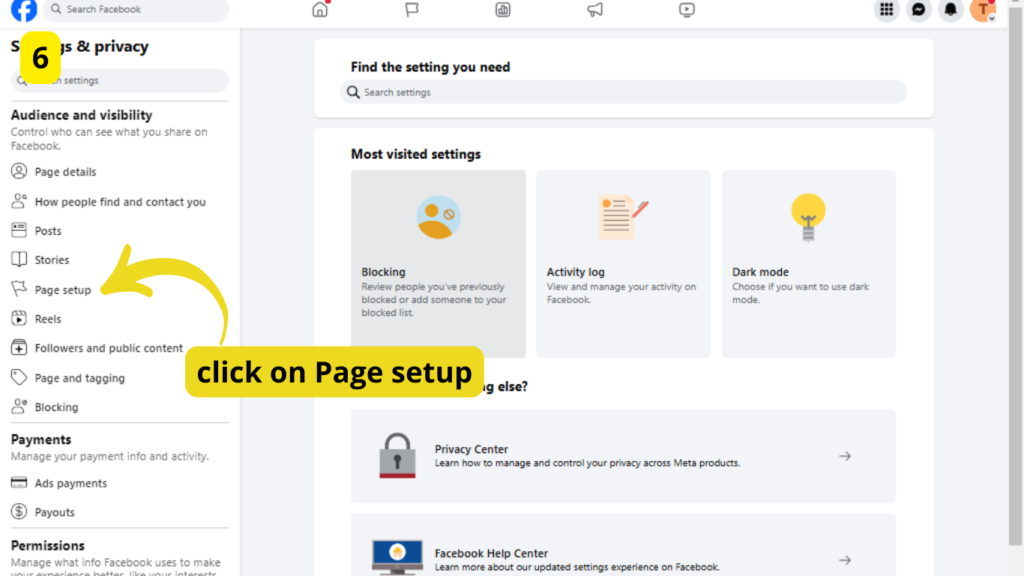
STEP 6:
Click On Page Setup
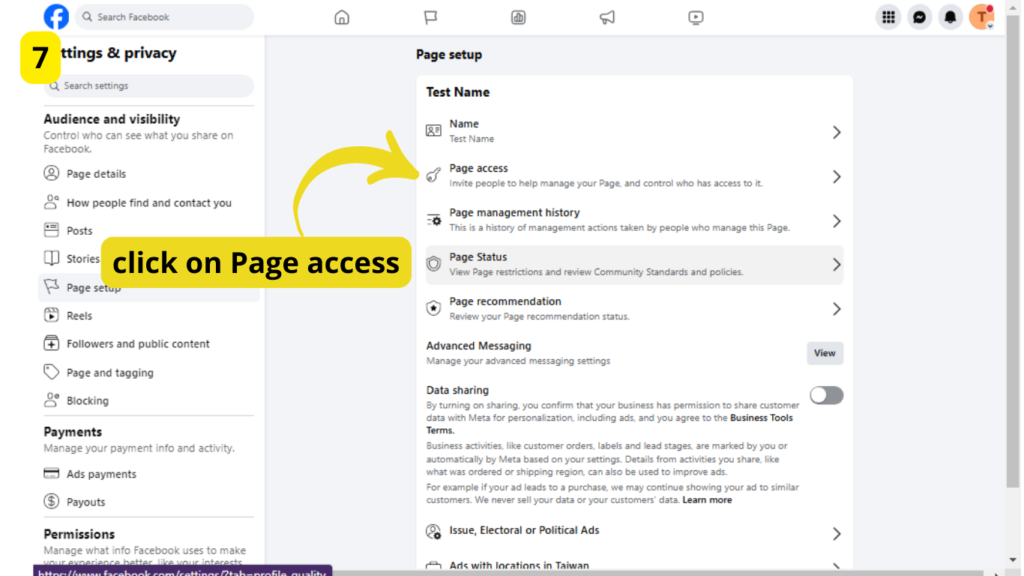
STEP 7:
Click on Page Access
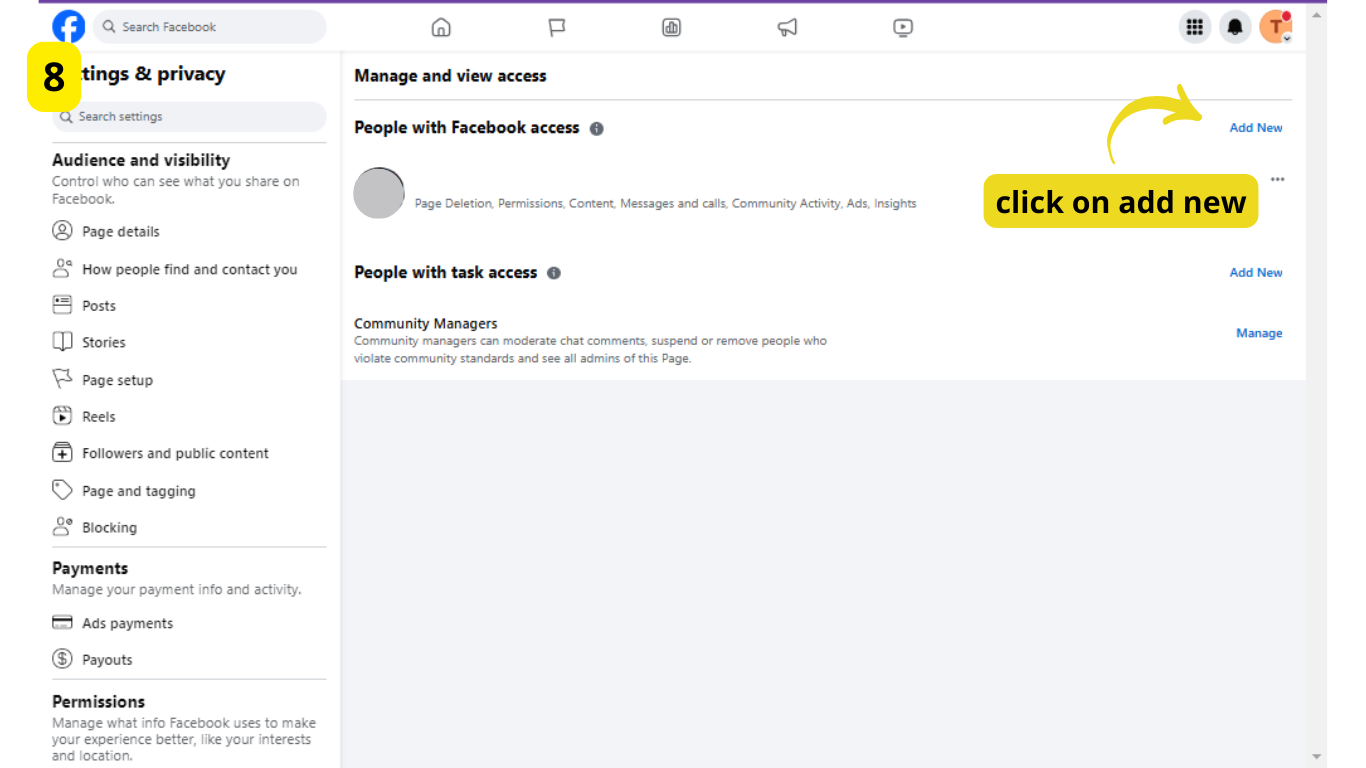
STEP 8:
Click on Add New
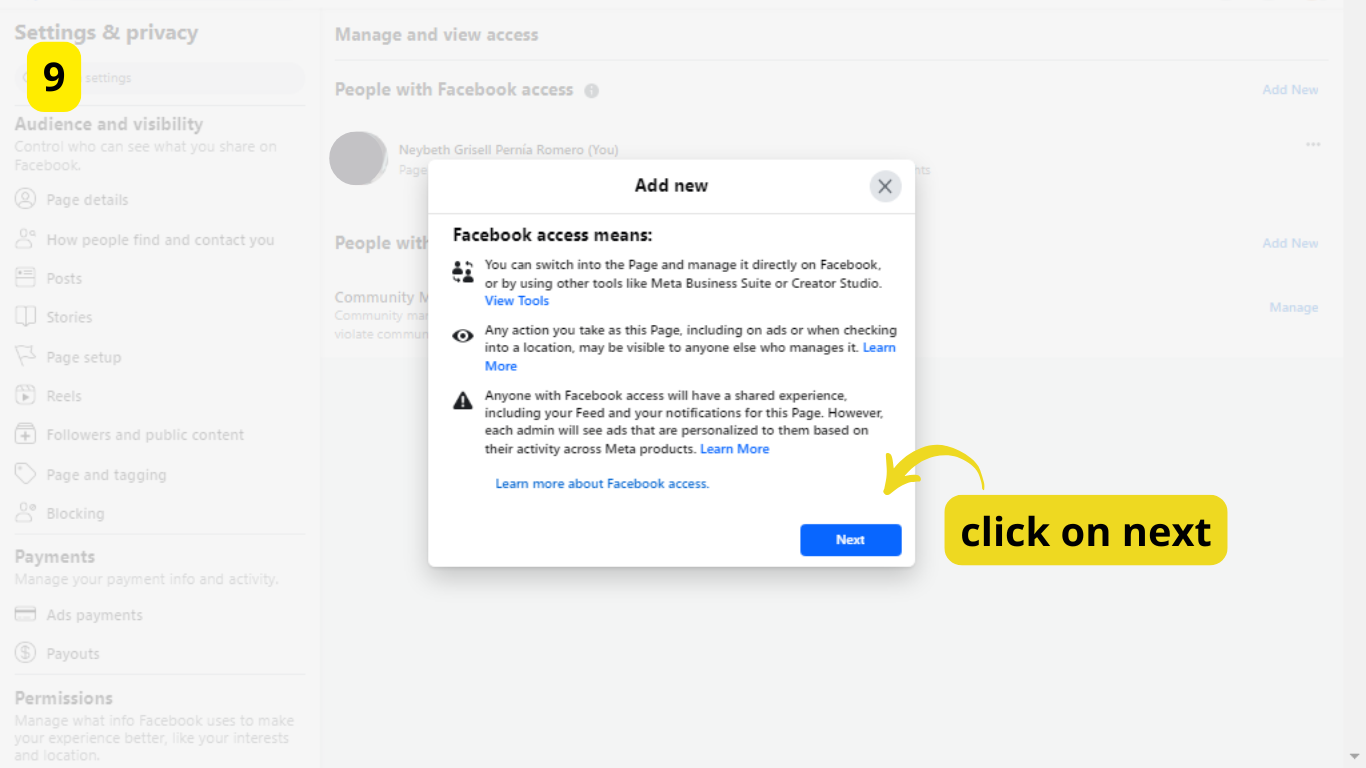
STEP 9:
Click on Next
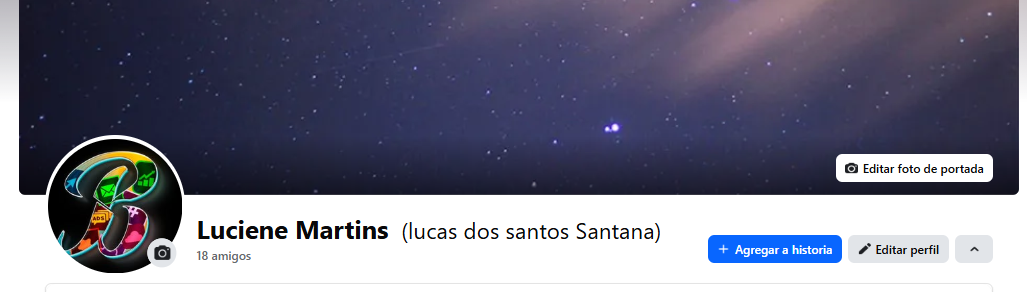
STEP 10:
Profiles To Add
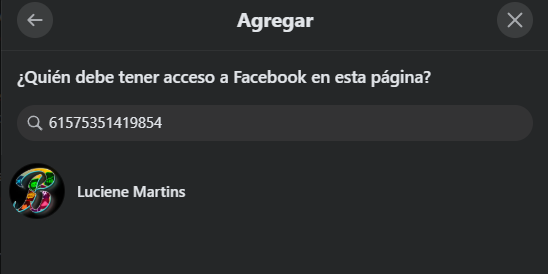
STEP 11:
Search for the number 61575351419854
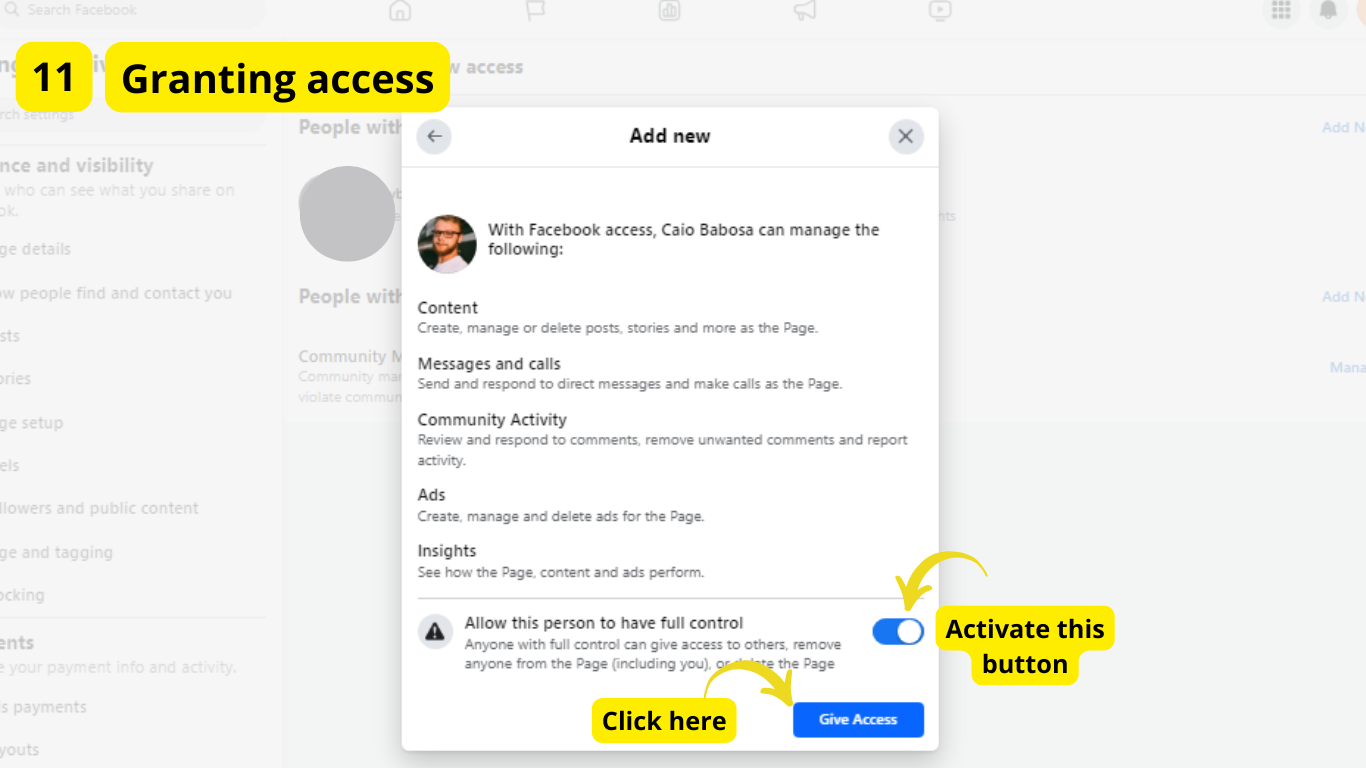
STEP 12:
Granting Access
2) Access to social media ads:
STEP 1:
Click on the following link
Link
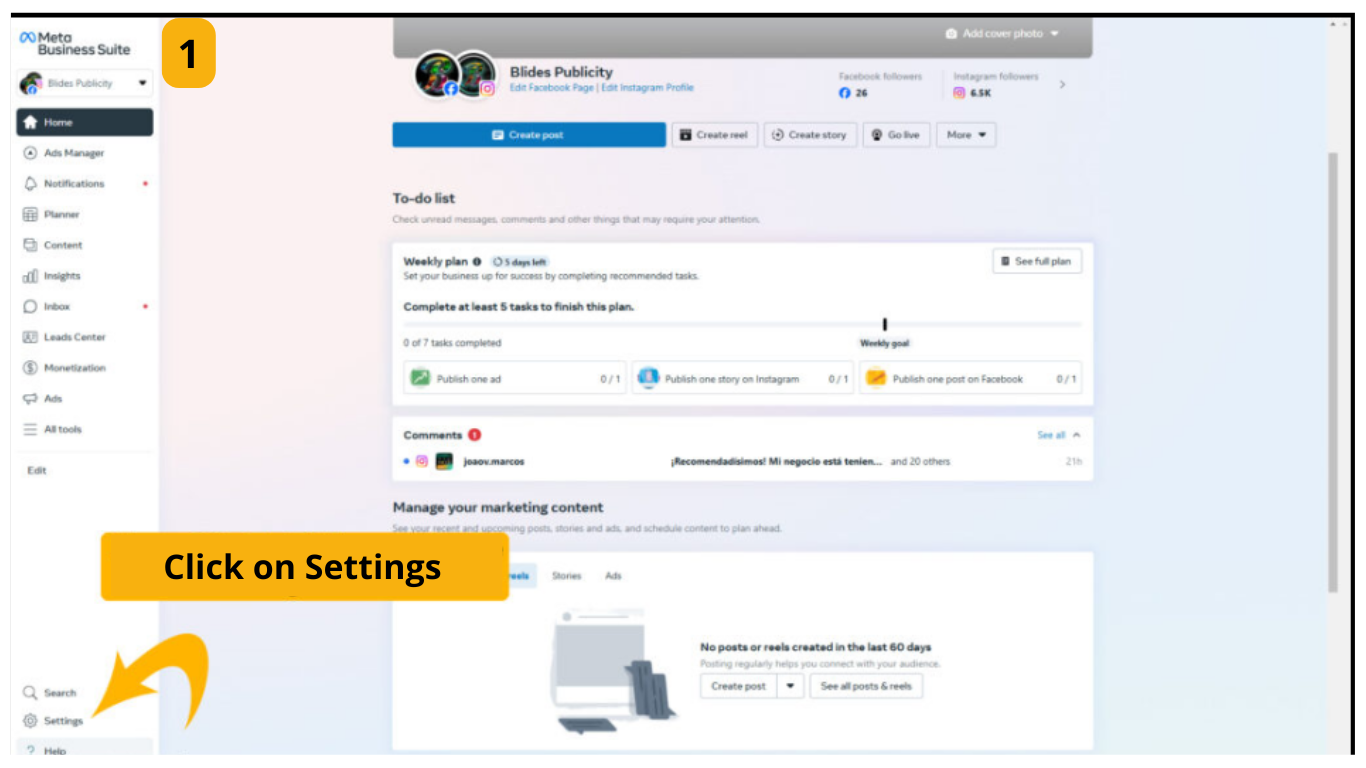
STEP 2:
Click on the settings gear
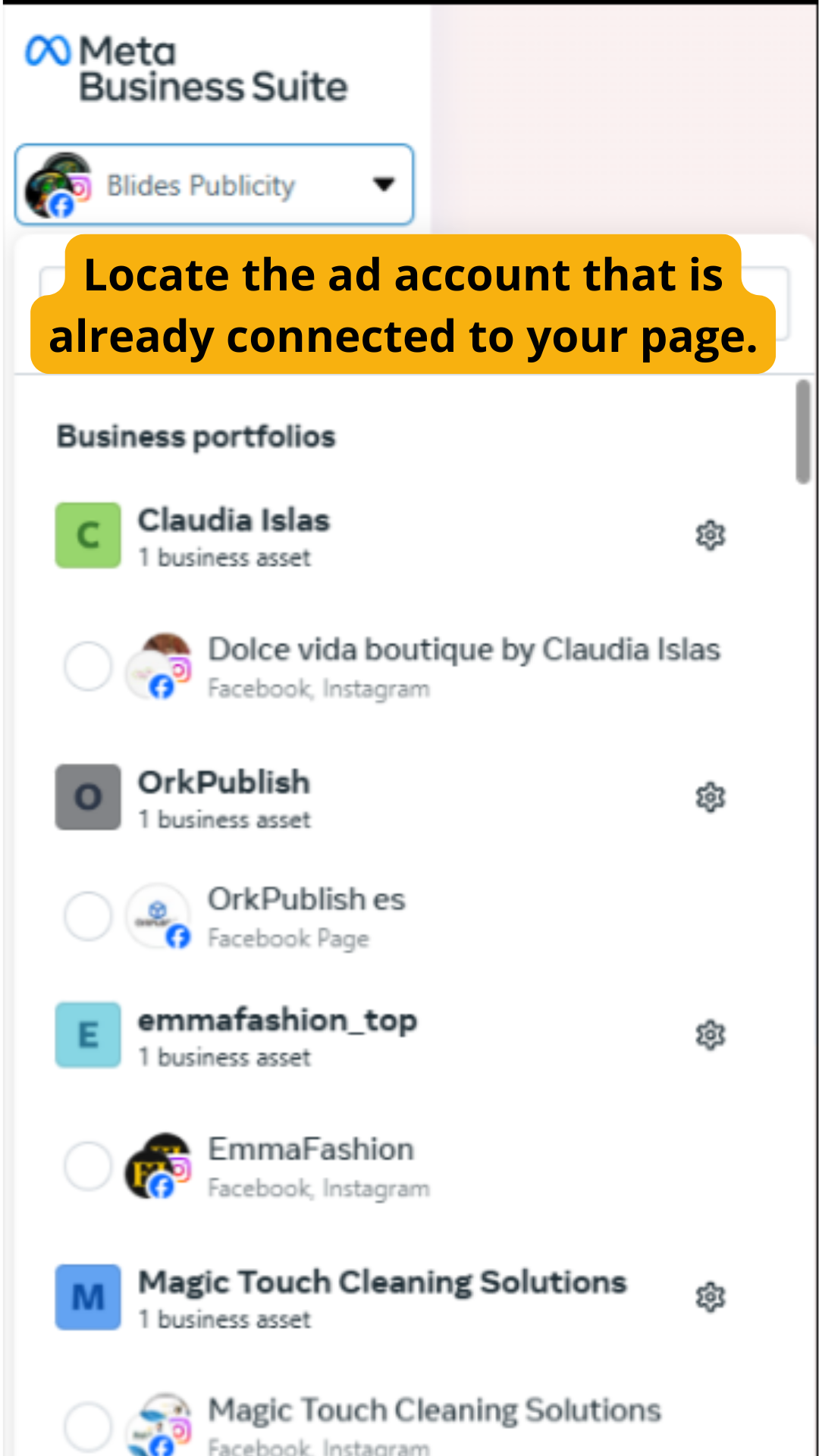
STEP 3:
Locate the ad account that is already connected to your page
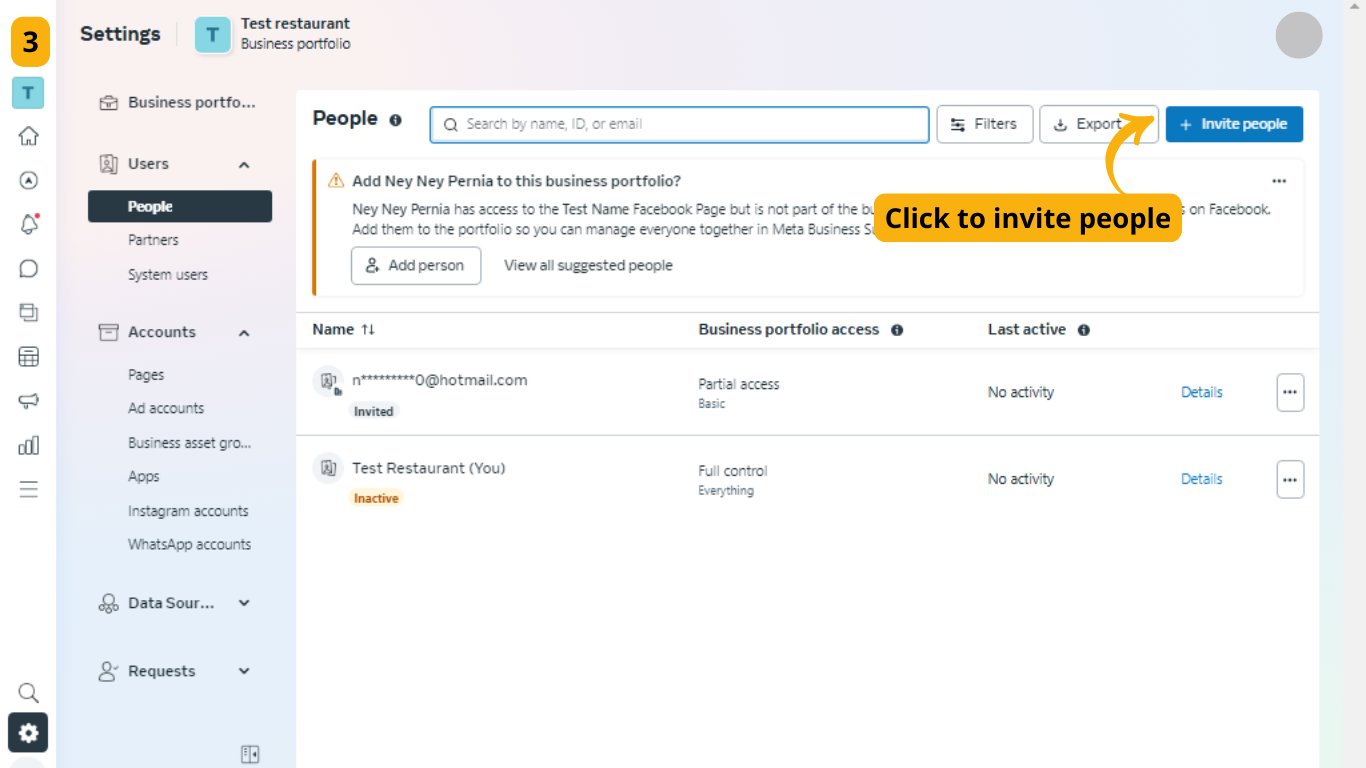
STEP 4:
Click to "Invite People"
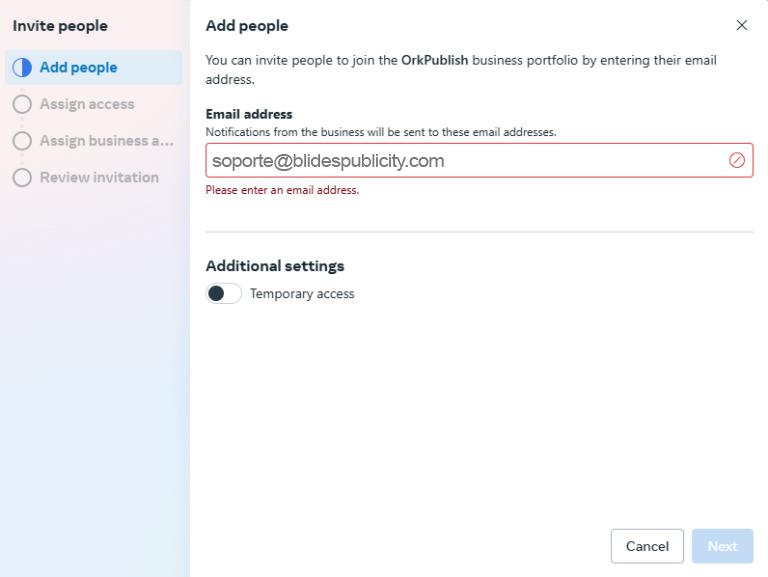
STEP 5:
Type the following email: soporte@blidespublicity.com
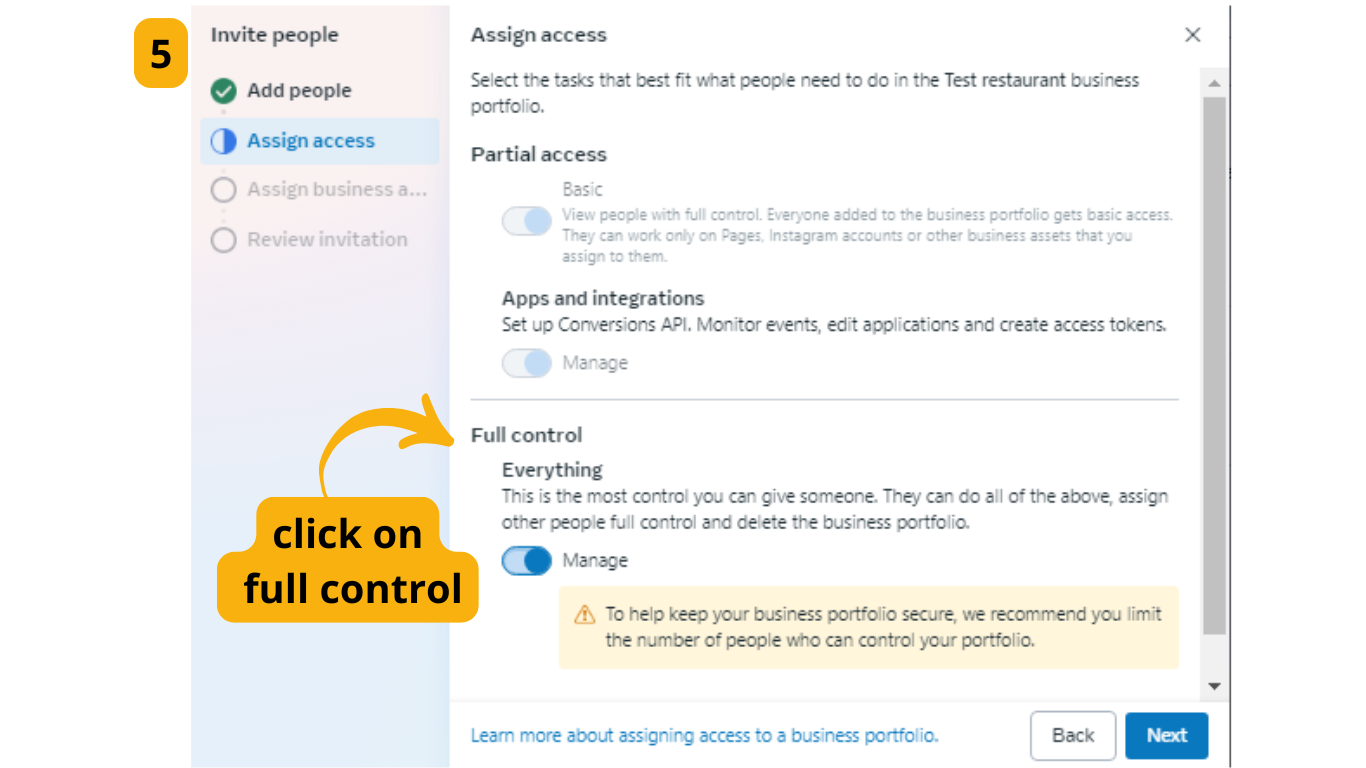
STEP 6:
Select the Full Control option and simply click next