Welcome
Cambiar A Idioma Español
Social Media Campaign Form
Thank you! The form was sent successfully!
Thank you! The form was sent successfully!
Previous
Previous
Next
Next
Professional Brand Form
Thank you! The form was sent successfully!
Thank you! The form was sent successfully!
Previous
Previous
Next
Next
Below we will explain the step-by-step instructions to grant us Facebook access.
Below we will explain the step-by-step instructions to grant us Facebook access.
Access to the Facebook page: This will allow us to publish the ads with your Facebook page.
See The Steps For Desktop
1) Access to the Facebook page:
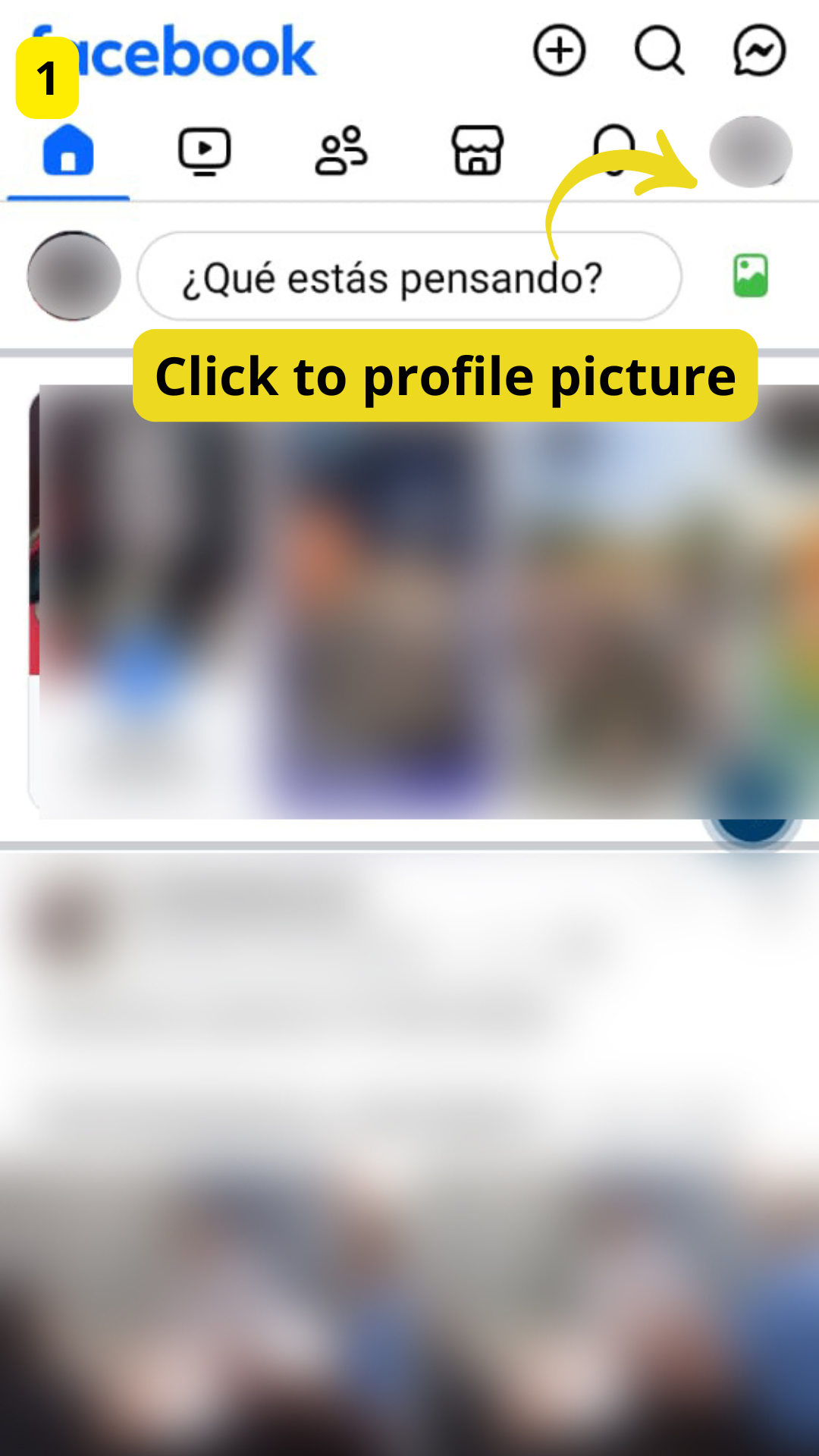
STEP 1:
Click To Profile Picture
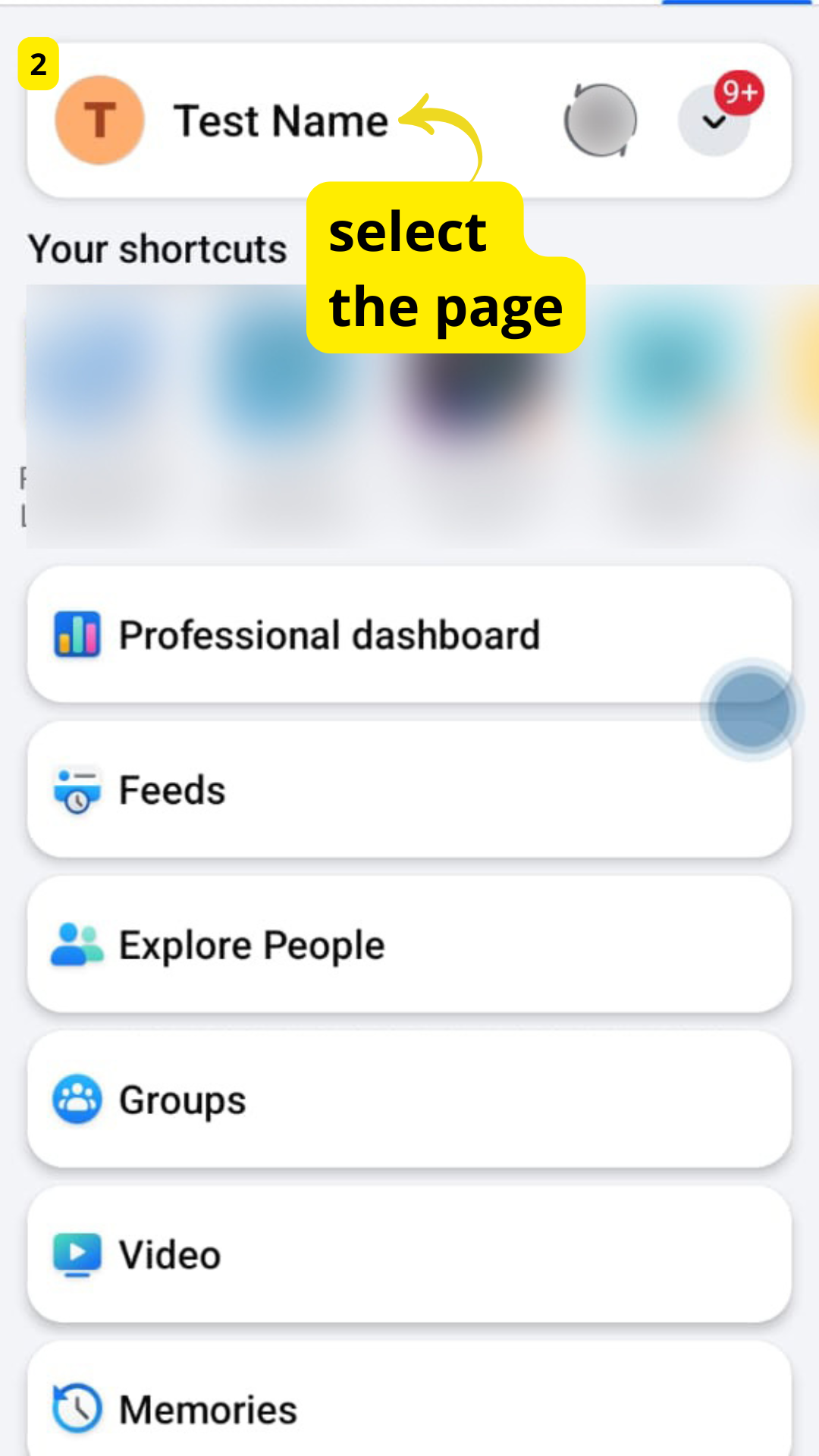
STEP 2:
Select the page
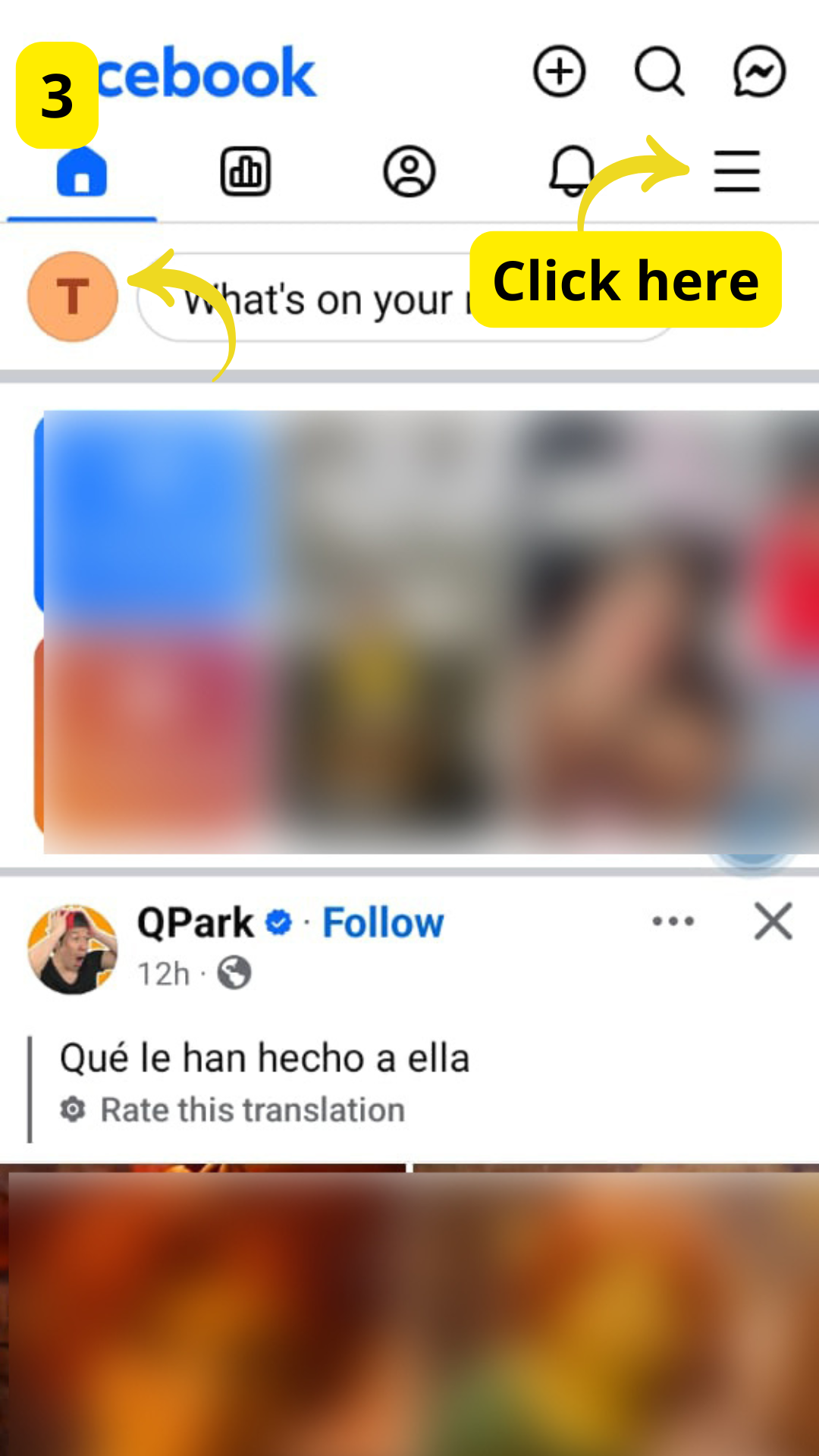
STEP 3:
Click on the menu bar
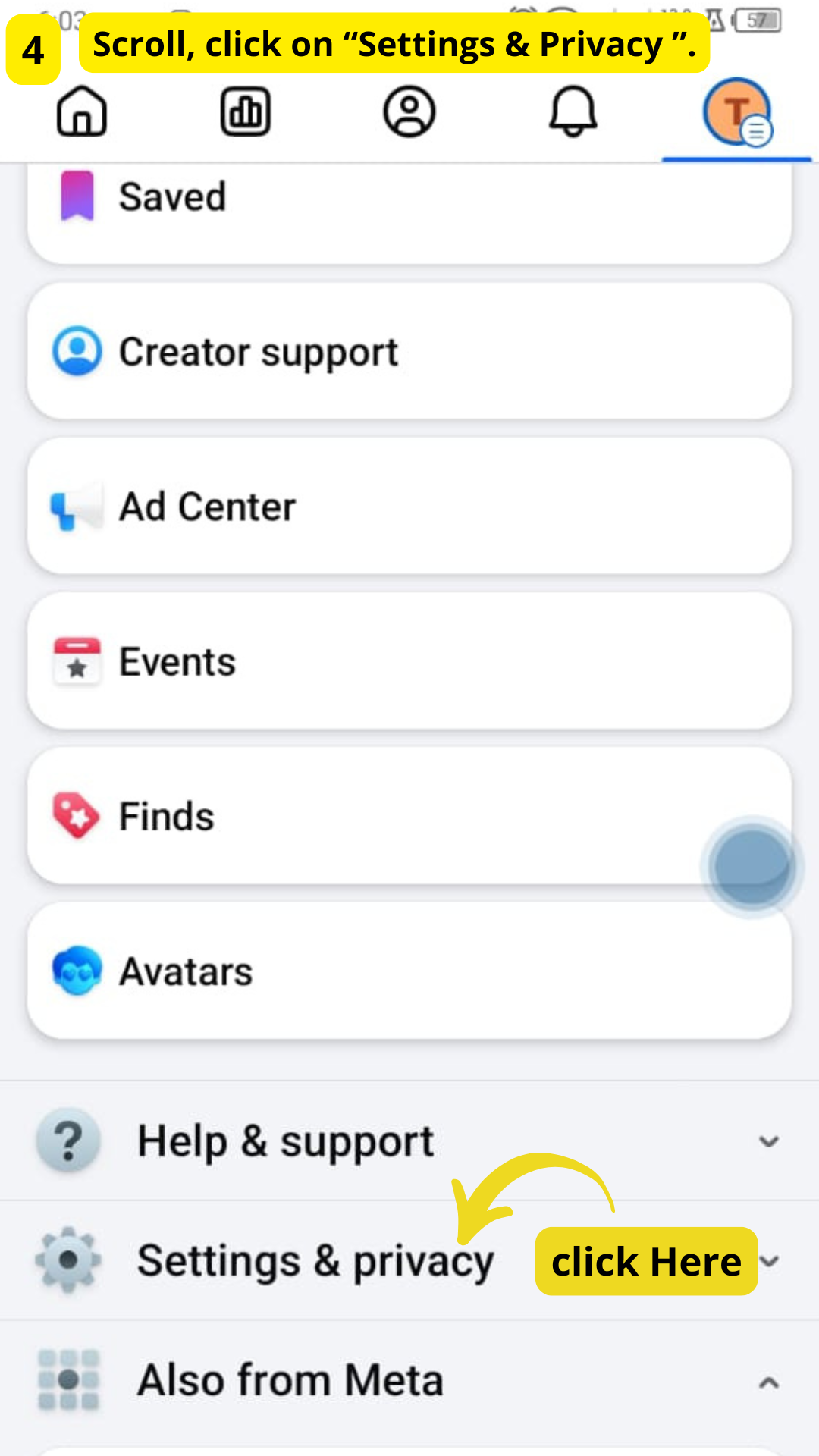
STEP 4:
Scroll, click on "Settings & Privacy"
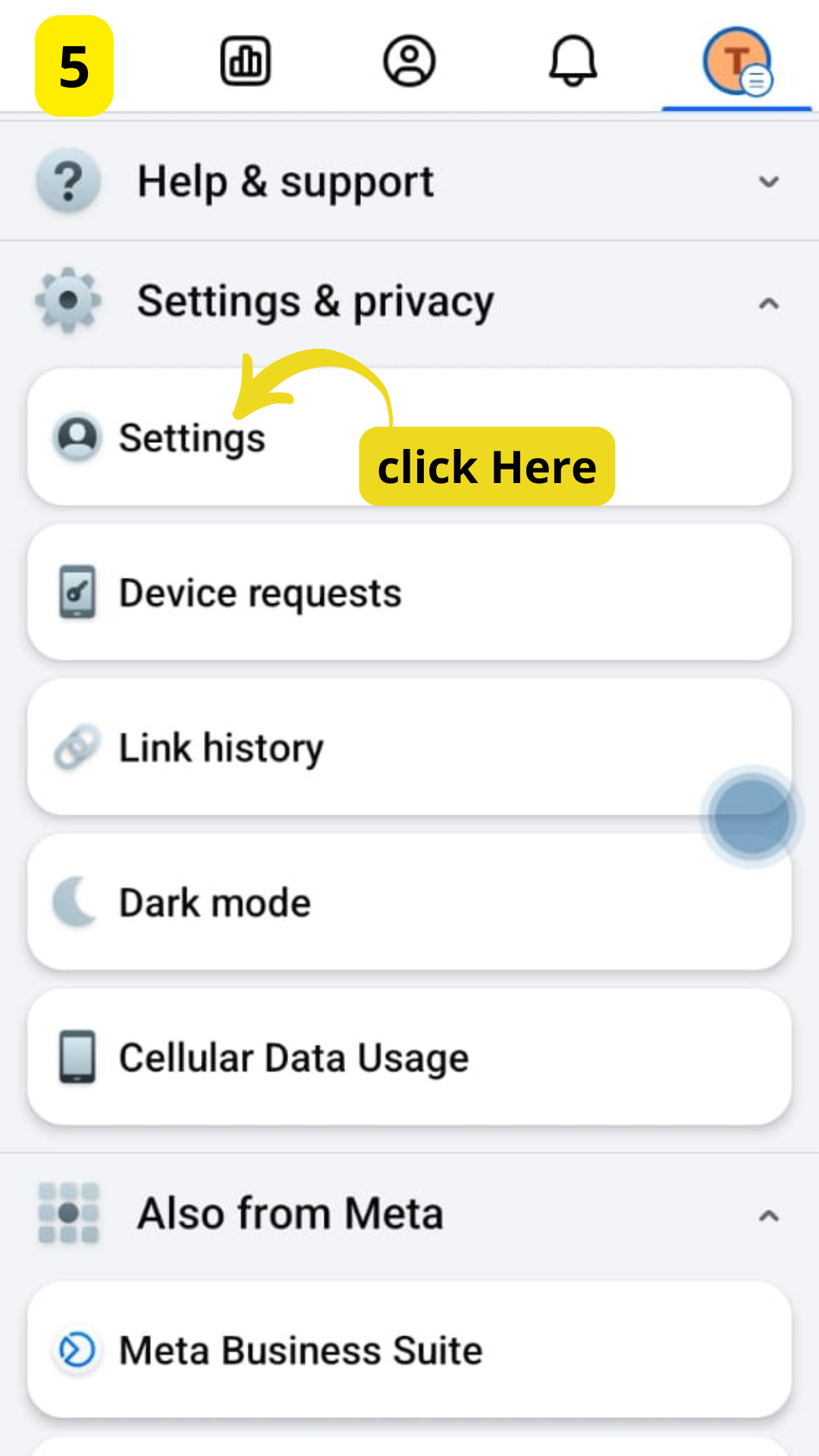
STEP 5:
Click on Settings
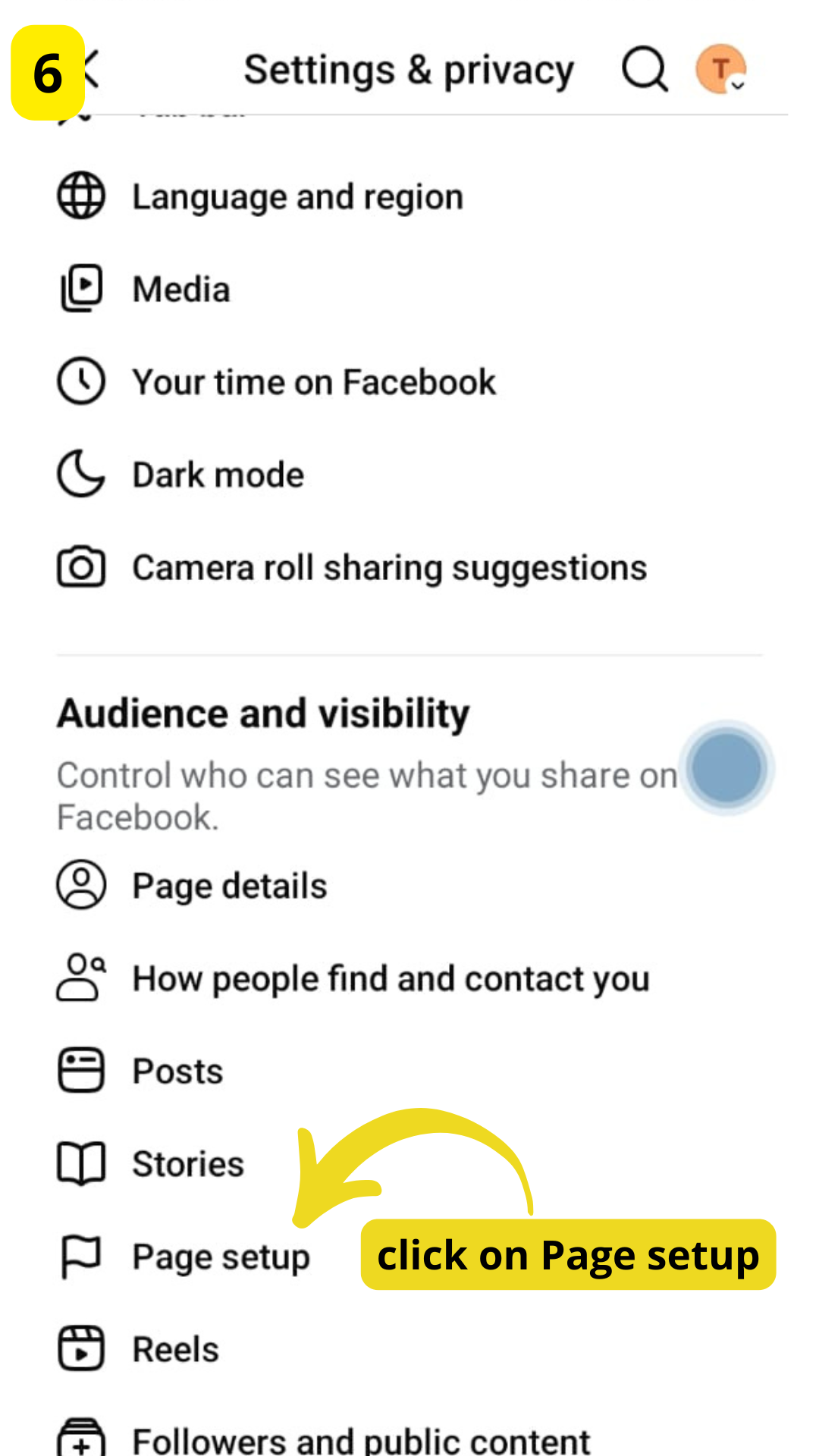
STEP 6:
Click on "Page Setup"
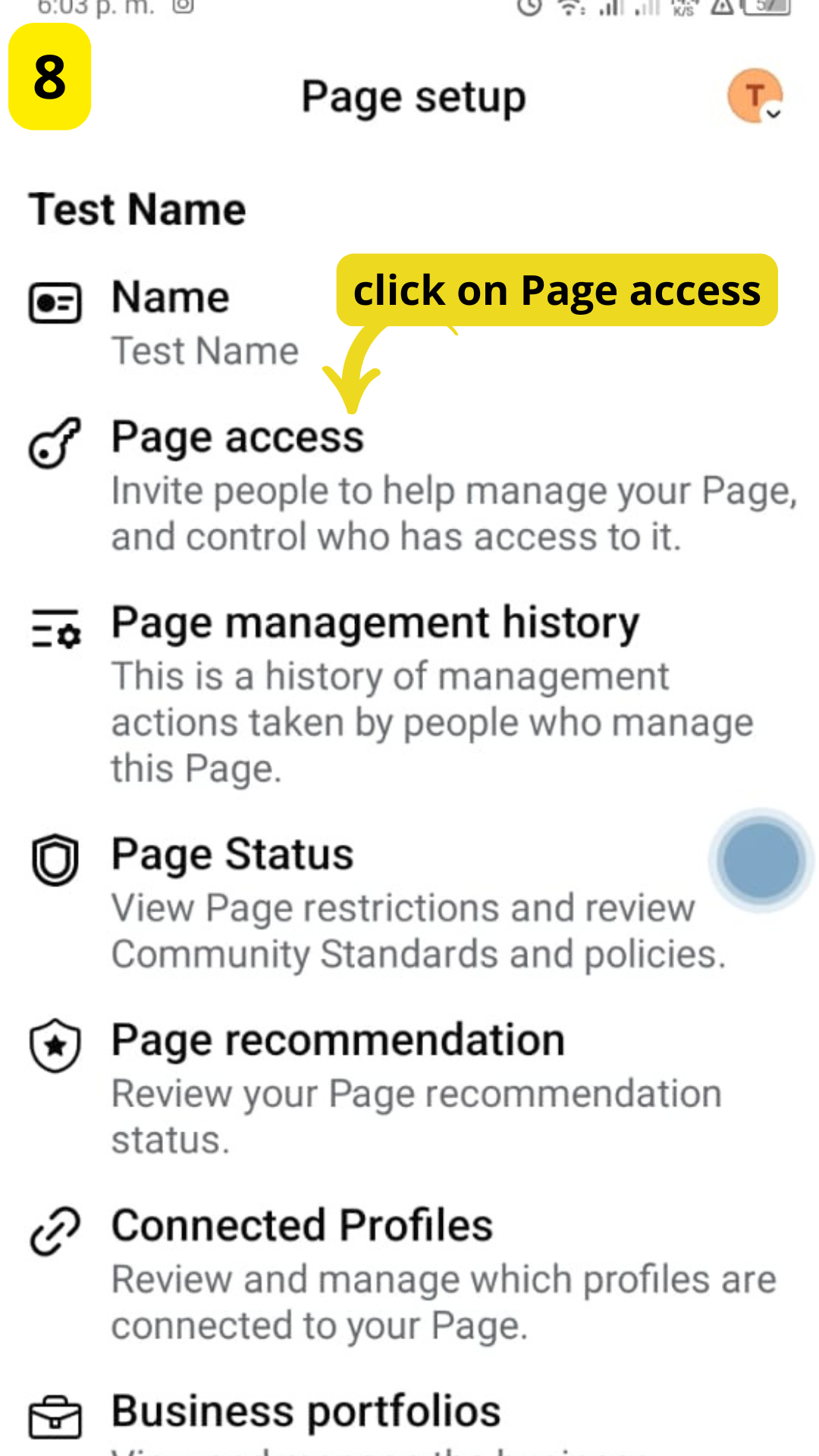
STEP 7:
Click On Page Access
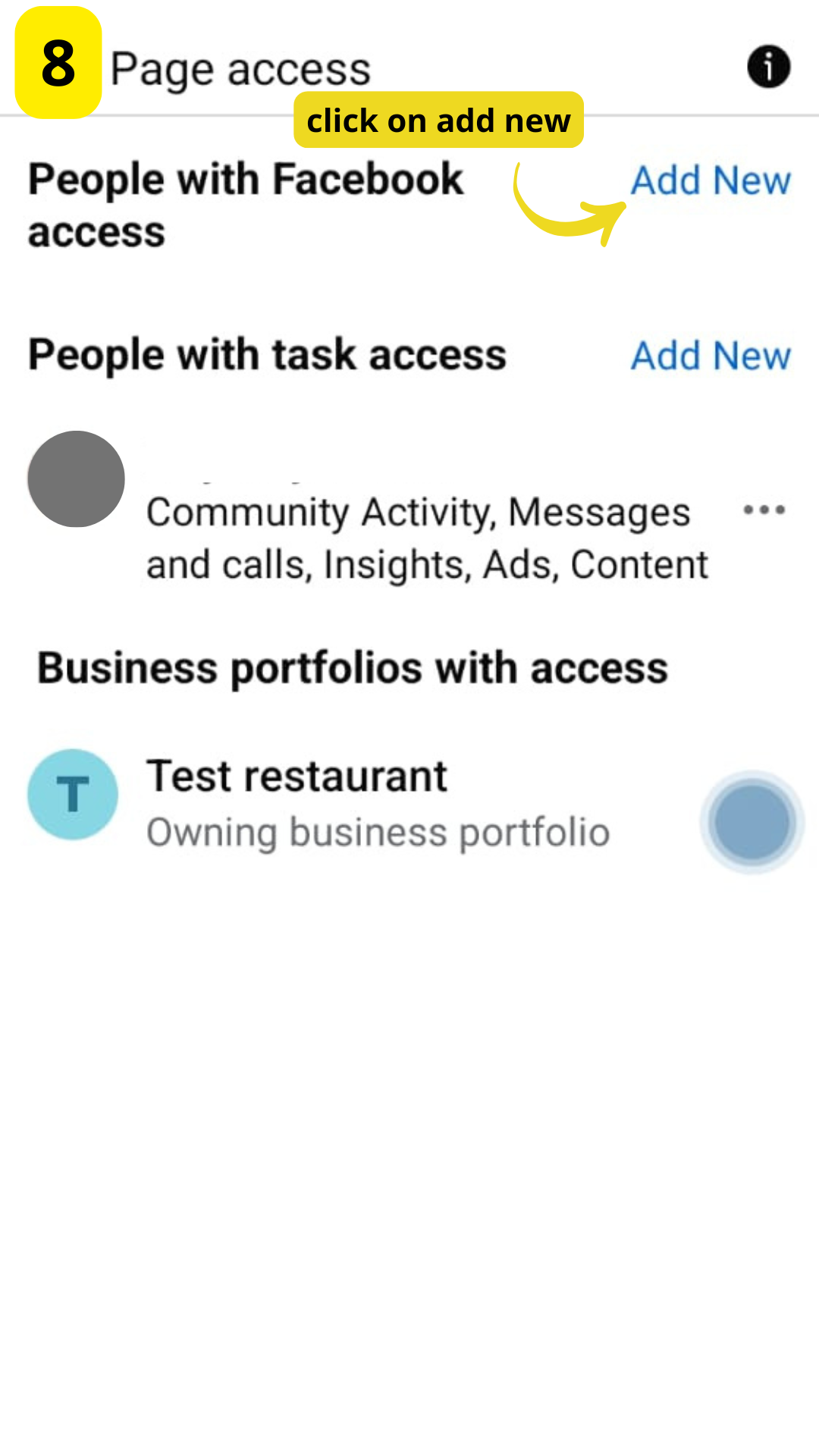
STEP 8:
Click on Add new
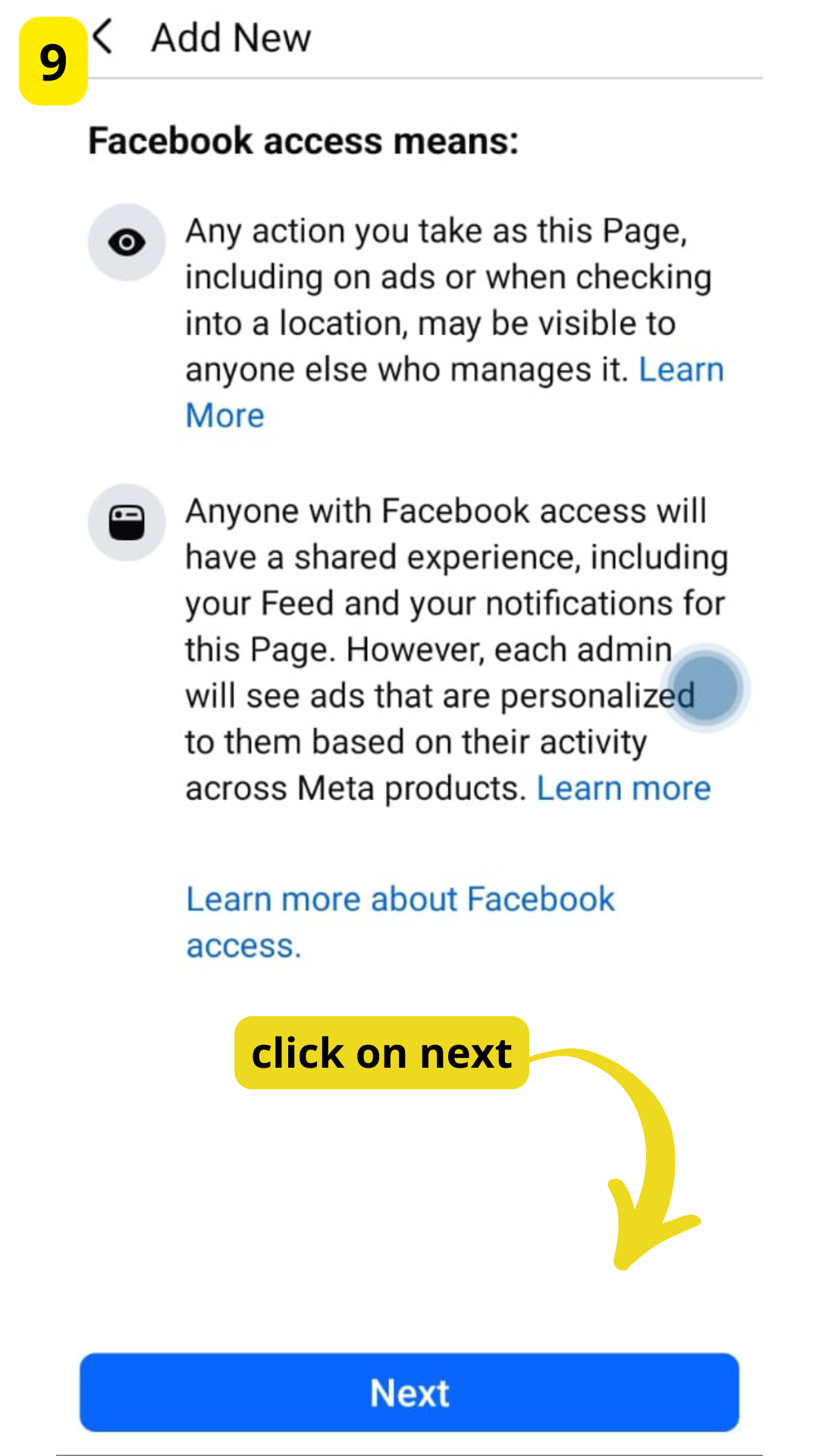
STEP 9:
Click on next
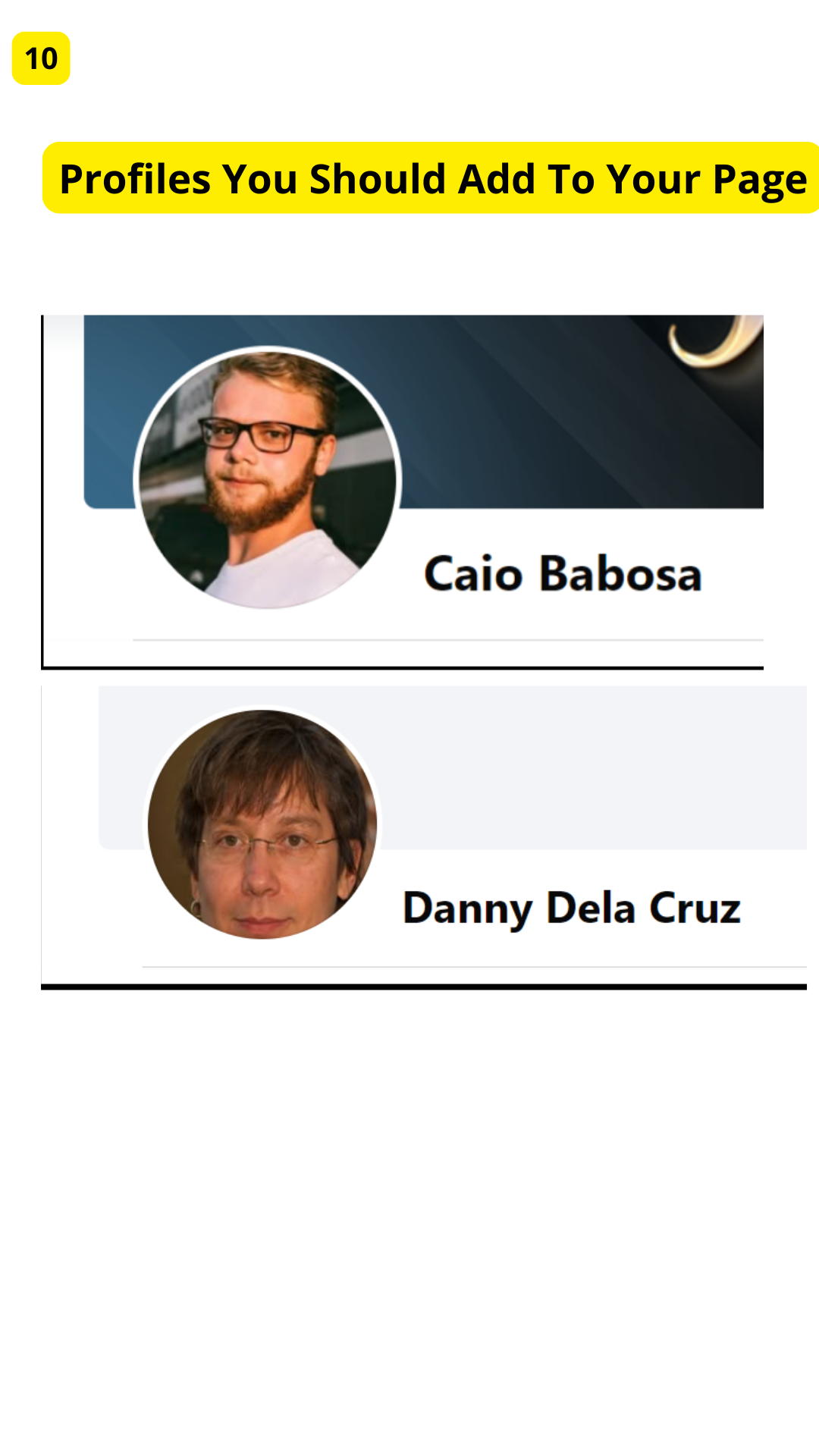
STEP 10:
Profiles you should add to your page
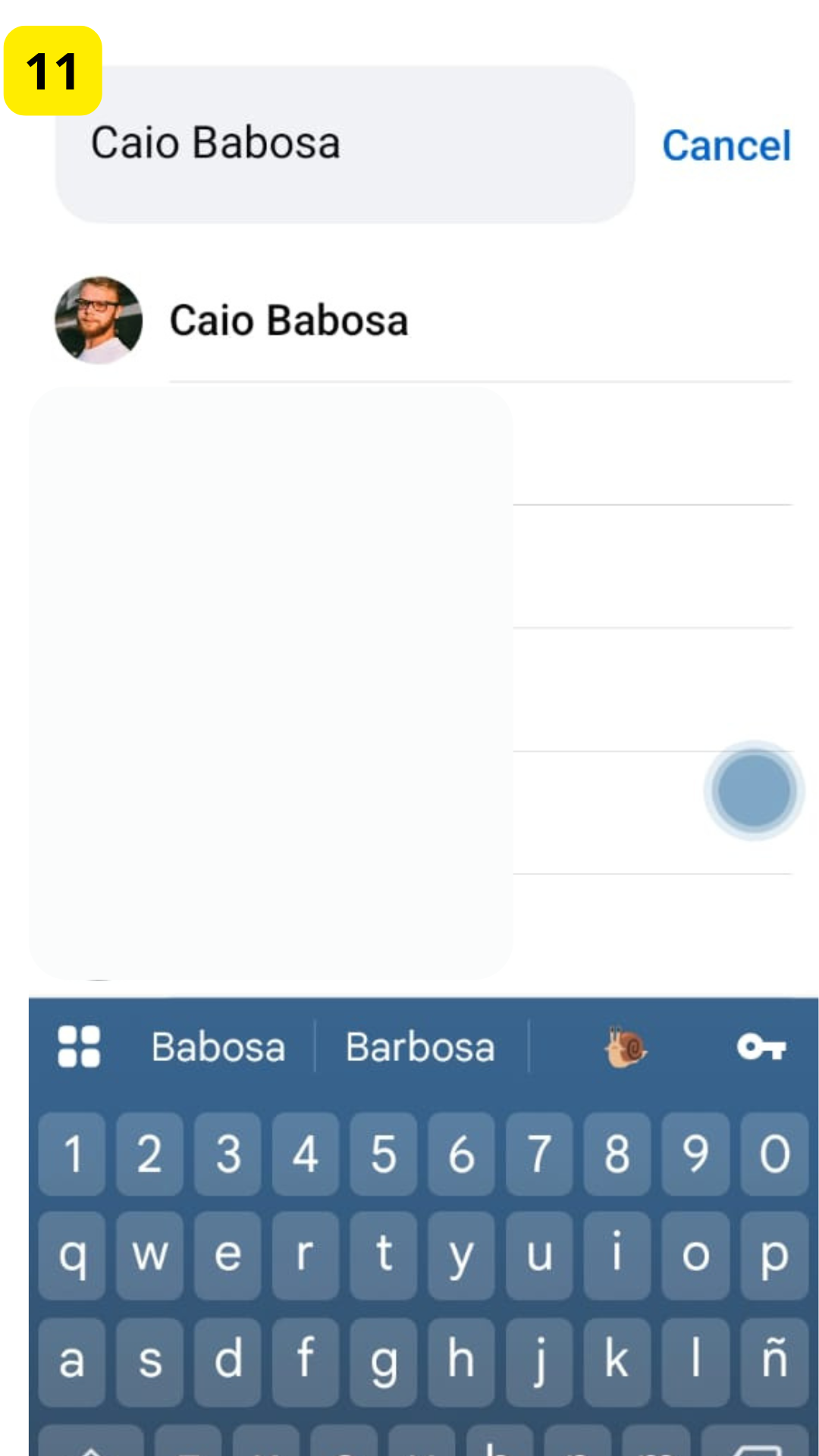
STEP 11:
Caio Babosa
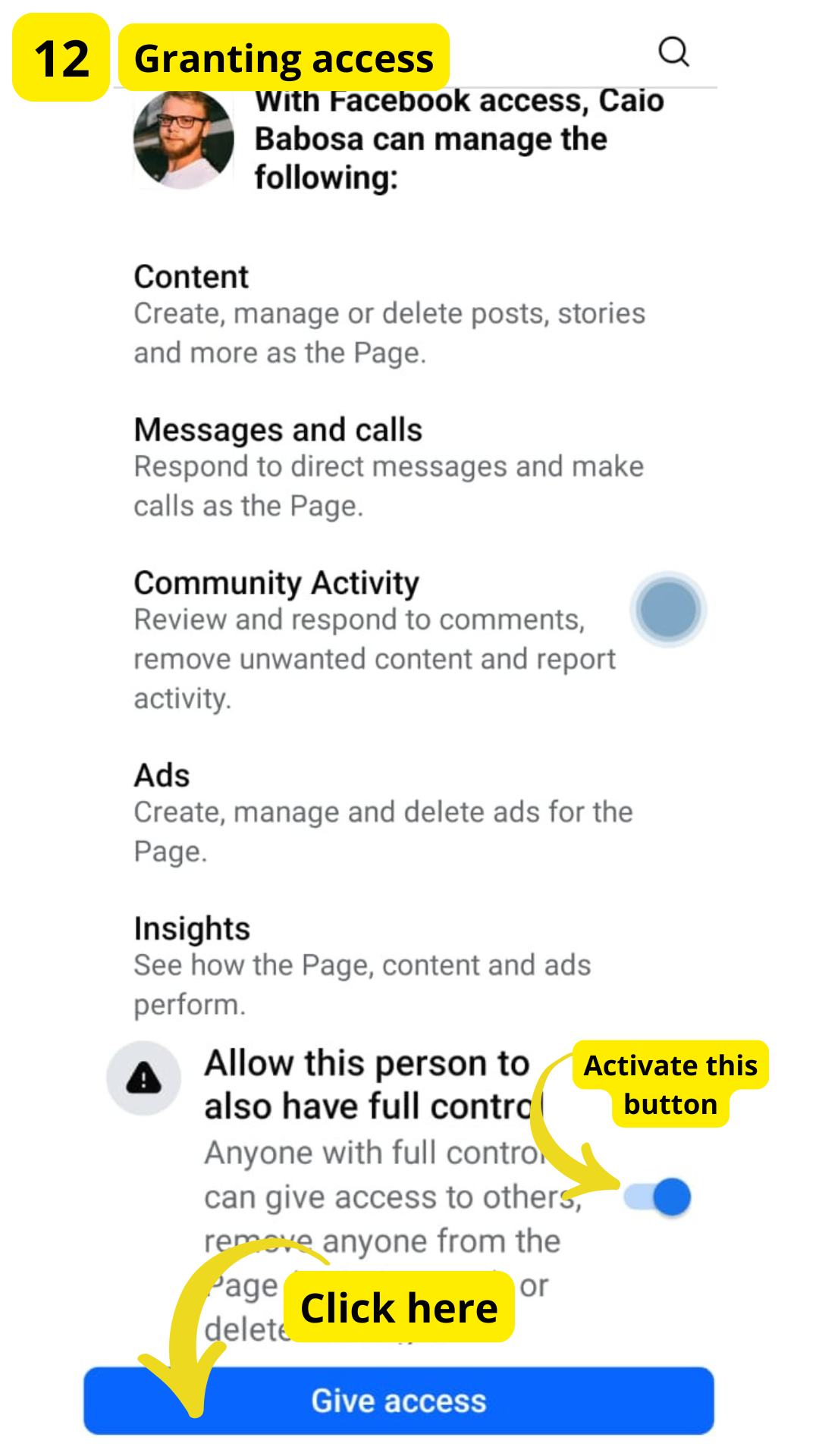
STEP 12:
Granting access
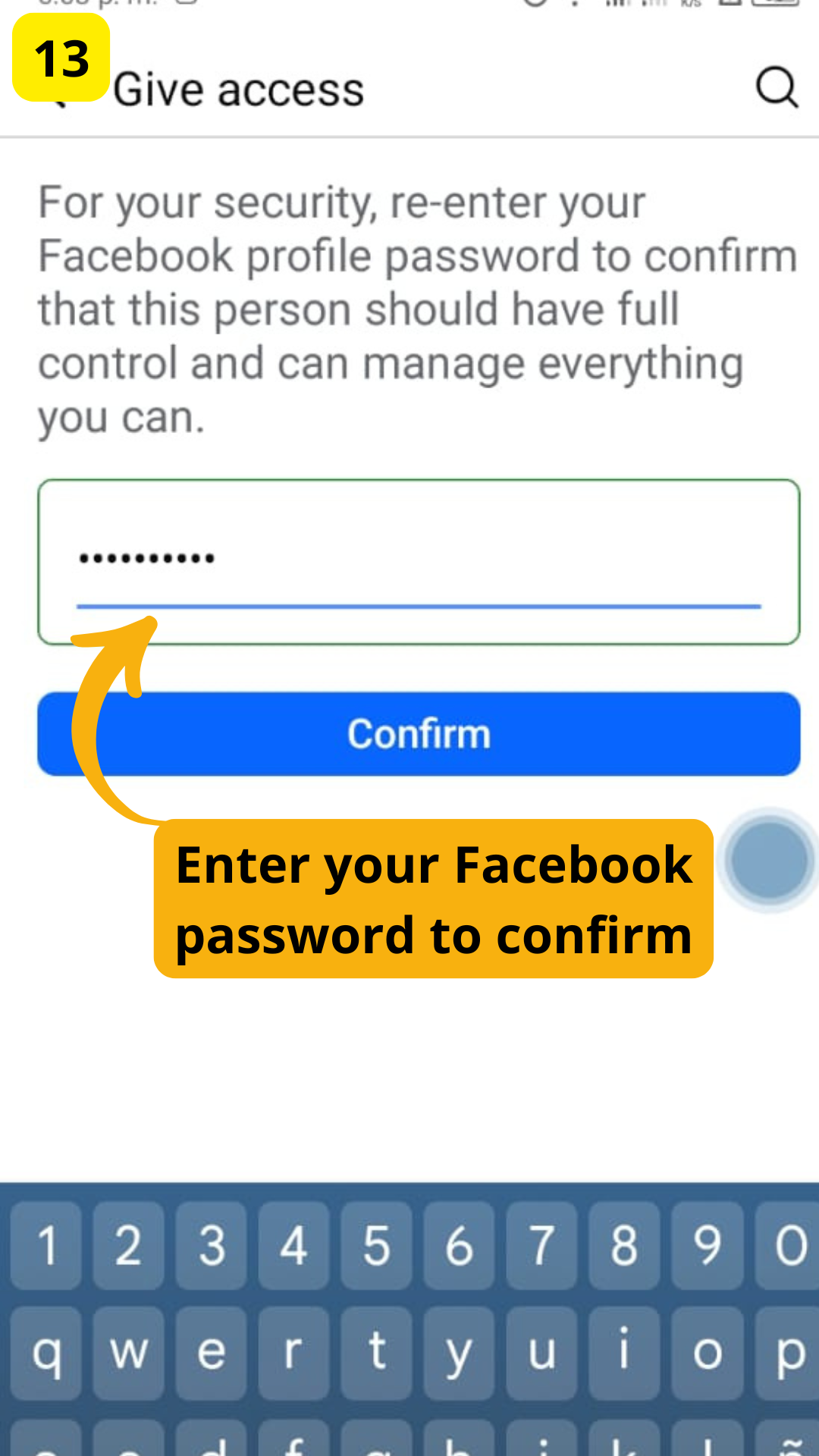
STEP 13:
Enter your Facebook password to confirm
2) Access To Social Network Ads
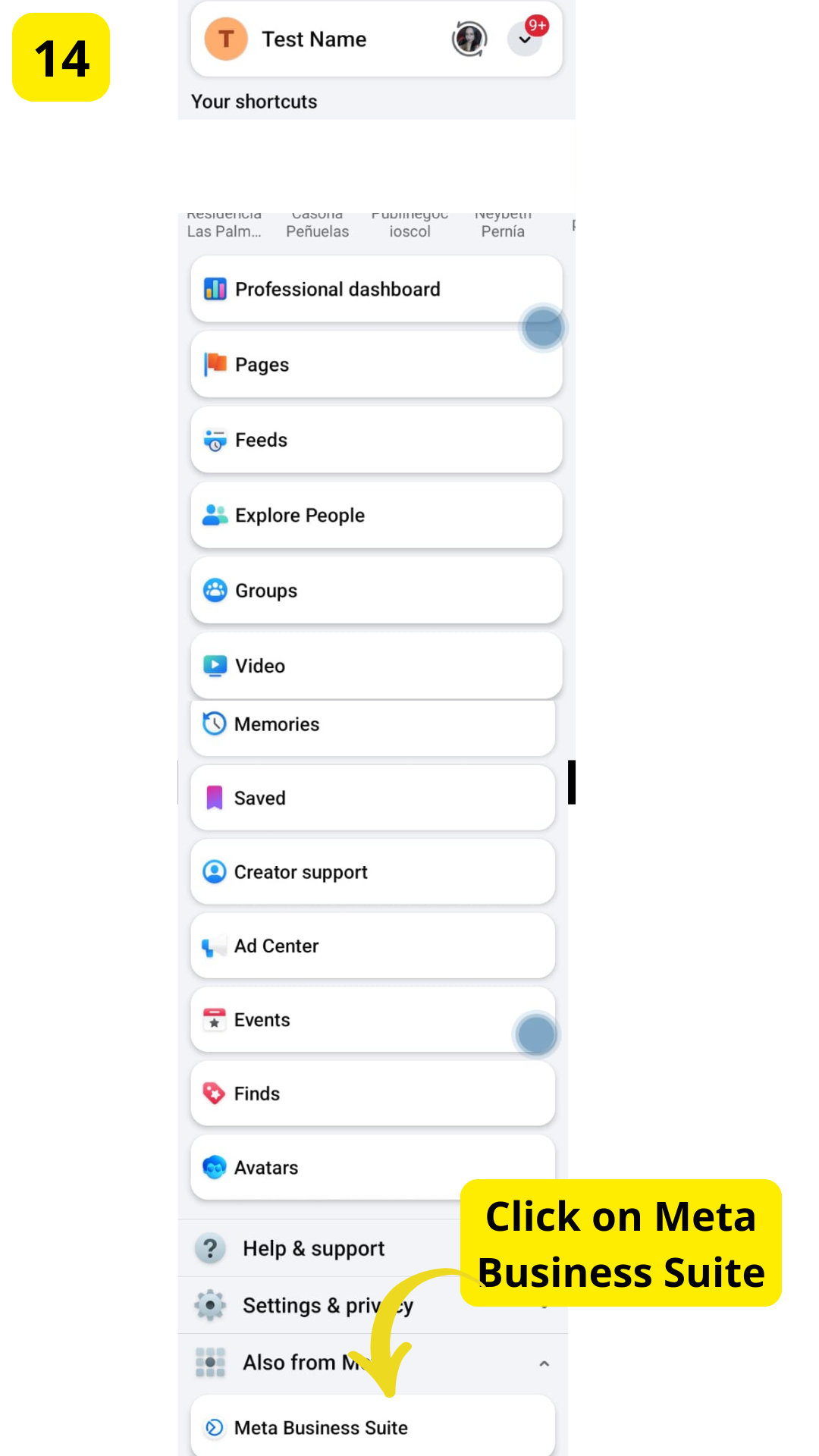
STEP 14:
Click on Meta Business Suite
STEP 15:
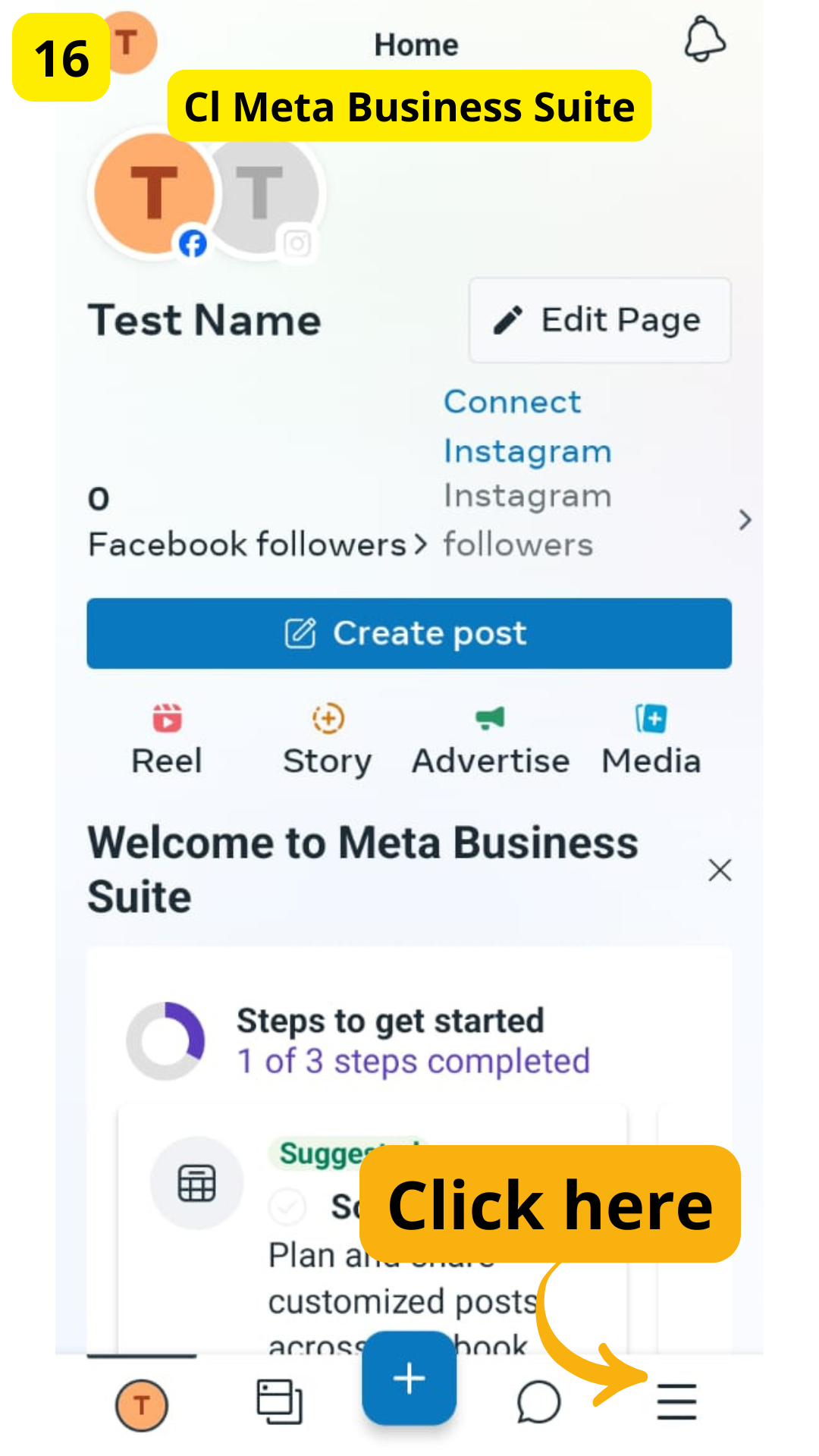
STEP 16:
Click on the menu bar
STEP 17:
Click on "People"
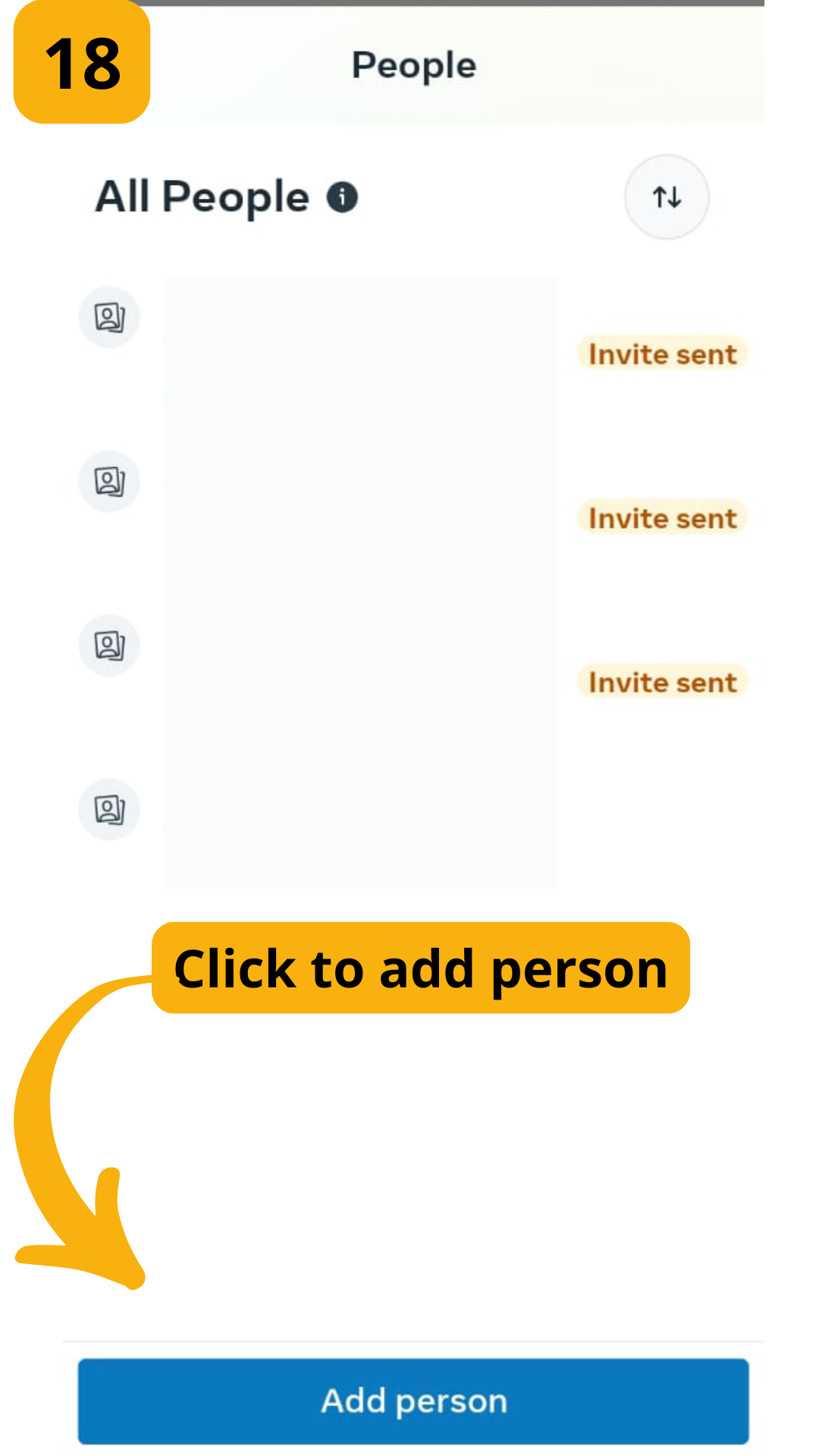
STEP 18:
Click to add person
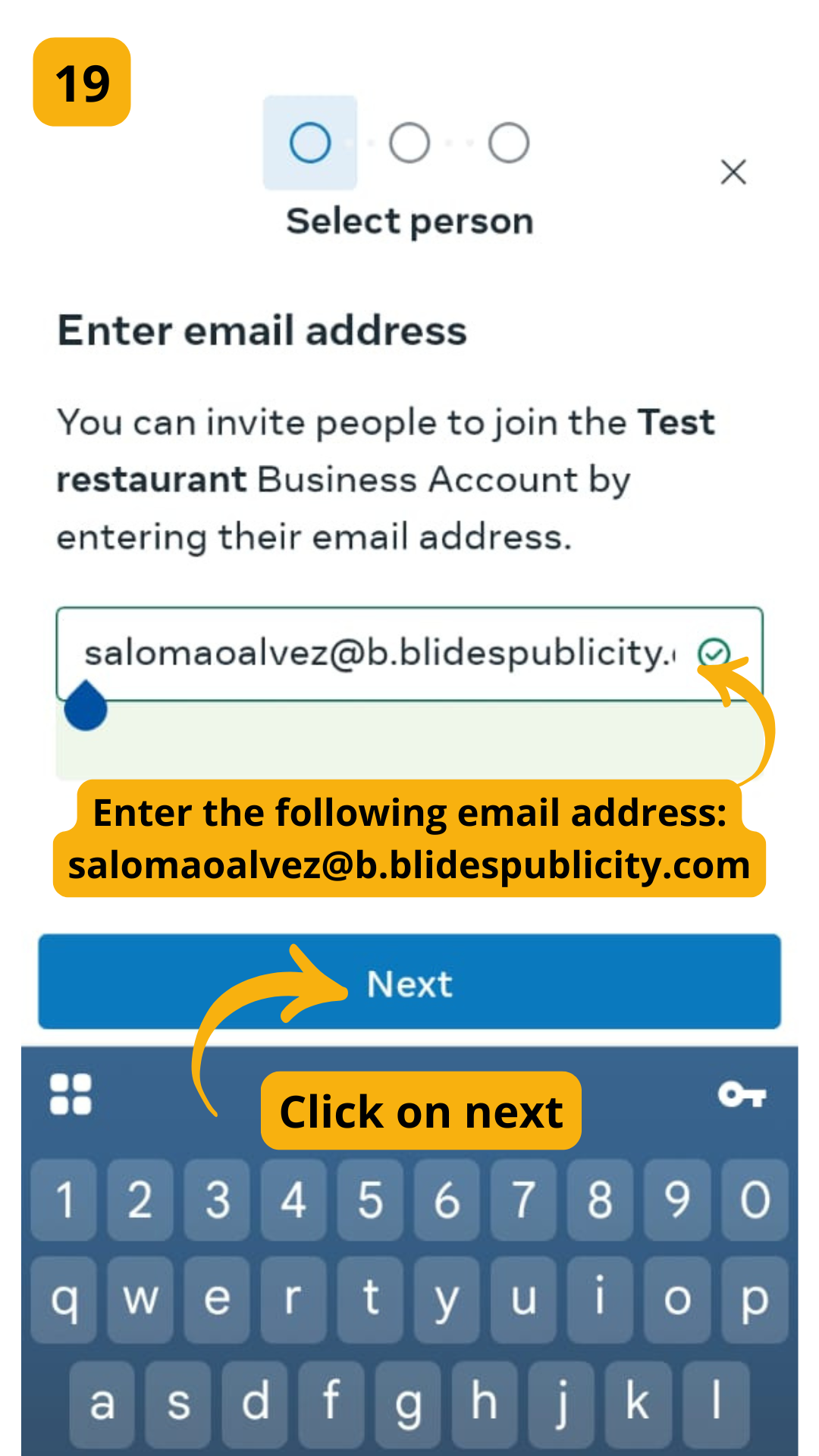
STEP 19:
Enter the following email address:
salomaoalvez@b.blidespublicity.com
And click on next
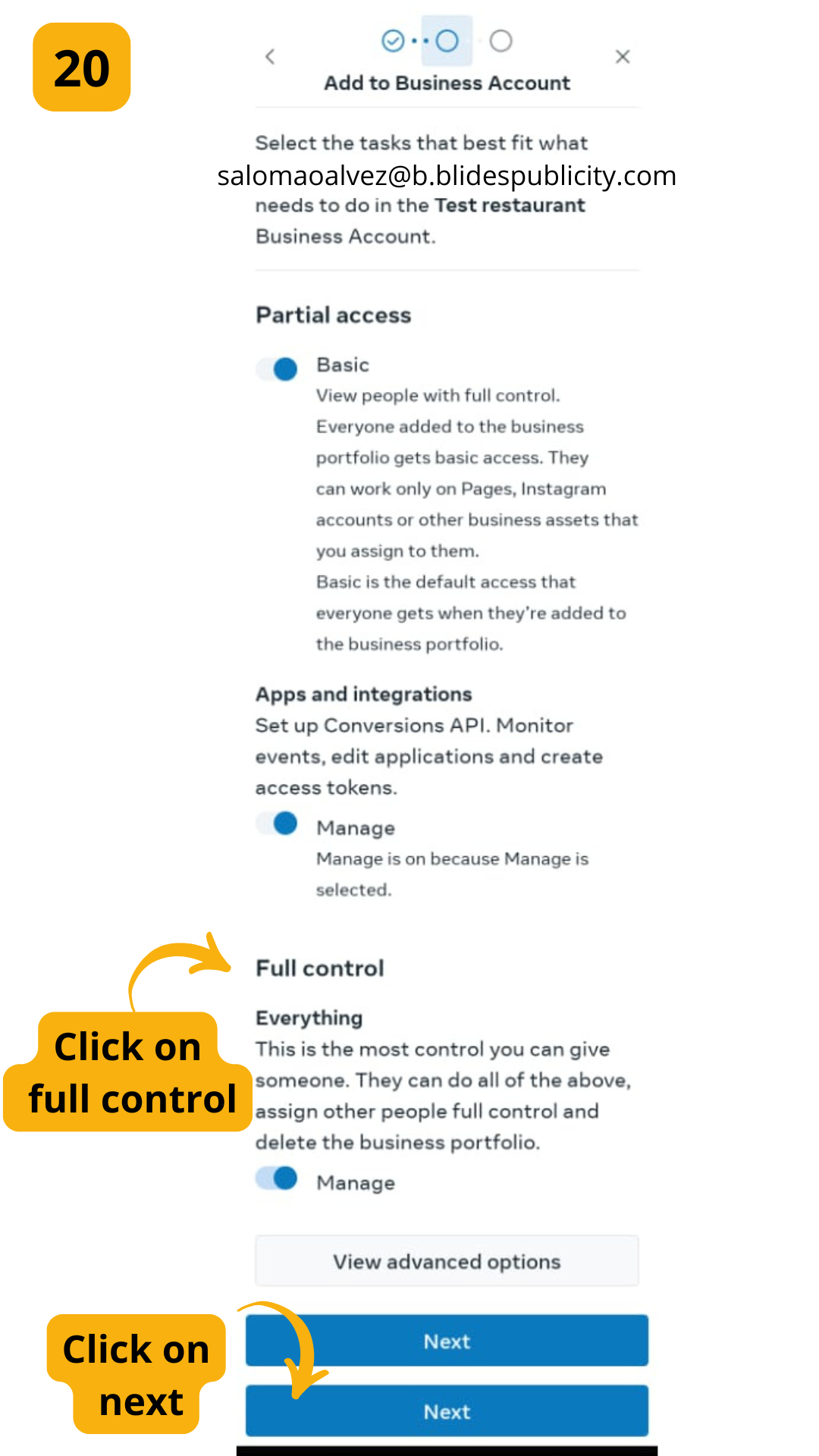
STEP 20:
Click on full control and then click on next
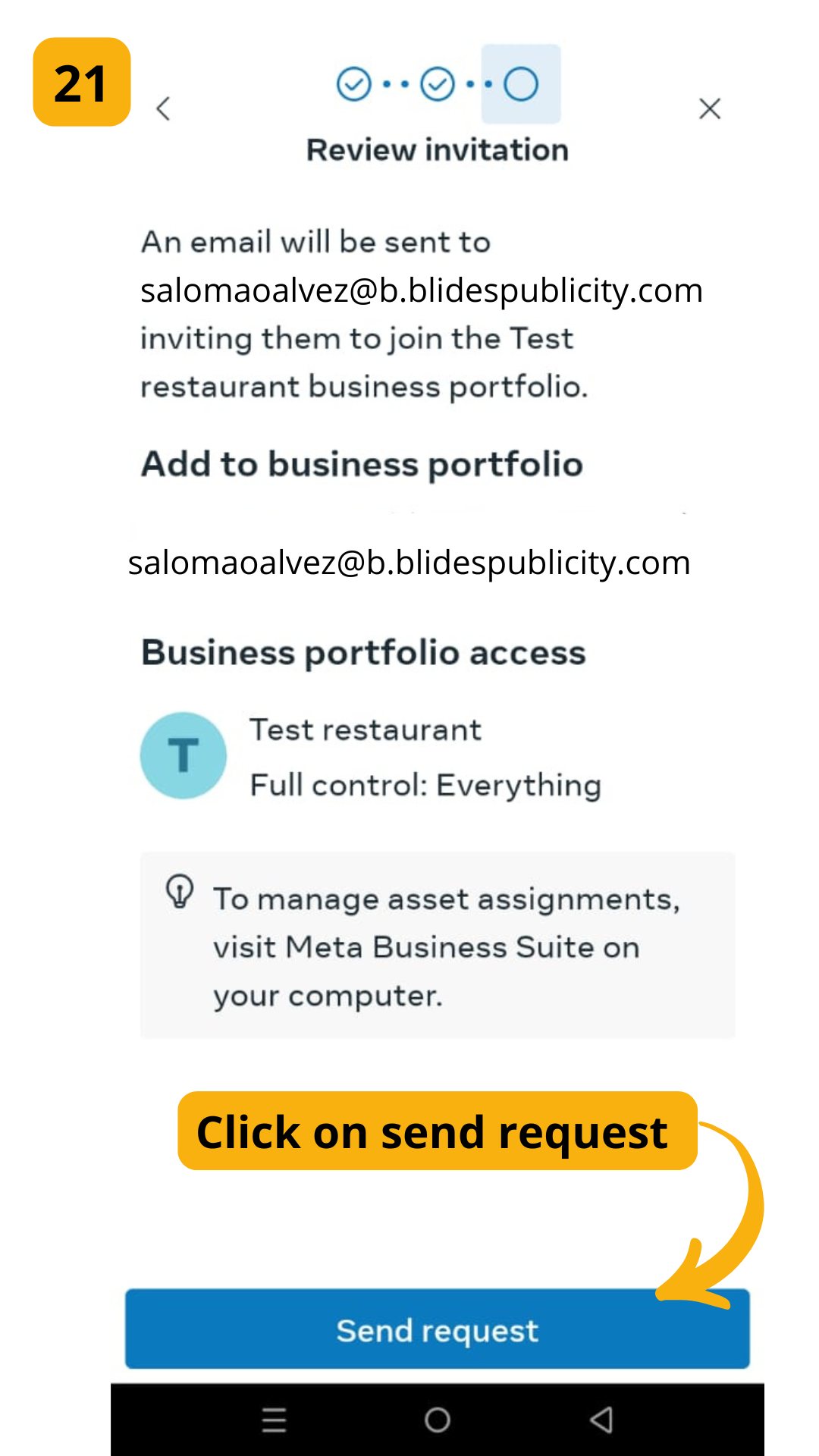
STEP 21:
Click on send request